Troubleshooting in Process Adherence Manager
There are some common errors that can occure when working with PAM. The following sections describe them and their solutions.
You may experience issues if your event log is too big. For optimal performance, we recommend your event log contains a maximum of:
100 million events.
10 thousand variants.
You can reduce event log size by:
The complexity of your target model may affect its performance, with large numbers of parallel flows having a significant impact. Simplifying your target model where possible is good practice and will help improve performance.
PQL Error during operation: %operation_alias%." + " The query exceeded the execution time limit." +
" Please contact support to limit the number of variants computed.
Description: Your query timed out due to the large volume of data being processed.
Action: Create a Support ticket requesting a variant limit is added for your alignment calculation.
Note
Once a variant limit has been applied, the information displayed may be affected because fewer variants will be included in the alignment calculation.
"PQL Error during operation: %operation_alias%." + " The query result exceeded the rows limit." +
" Please, reduce the size of the event log."
Description: Your query failed because your event log is too big.
Action: Reduce the number of events in your event log so it meets our event log recommendations. If you continue to receive this error, create a Support ticket.
Important
If unsupported BPMN elements are included in your BPMN file, the BPMN file import will typically stop and an error will display.
Element | Supported? | Further information |
|---|---|---|
Exclusive choice gateways Parallel/And gateways | Yes | Each gateway must have one of:
|
Event | Yes, except boundary events. |
|
Task | Yes |
|
Flow | Sequence flows only. | All other flow types are not supported and will be ignored but the BPMN file import will not be disrupted. Note Call activities, sub-processes and transactions are not supported. We recommend removing any call activities, sub-processes and transactions from your flow and integrating their content directly into your model. |
To make a BPMN model ready for adherence checking, ensure that:
The model has exactly one start and one end event.
There are no gateways other than exclusive or parallel.
Each opening gateway has a corresponding closing gateway of the same type.
Gateways are either opening or closing, not mixed (no gateways with several incoming and several outgoing sequence flows).
There are no equally named tasks or events.
Tasks have exactly one incoming and one outgoing edge.
No boundary events.
No disconnected flow elements.
No deadlocks, no lifelocks.
If model validation fails, we attempt a series of repair operations aiming at transforming the input BPMN model into a valid PAM model.
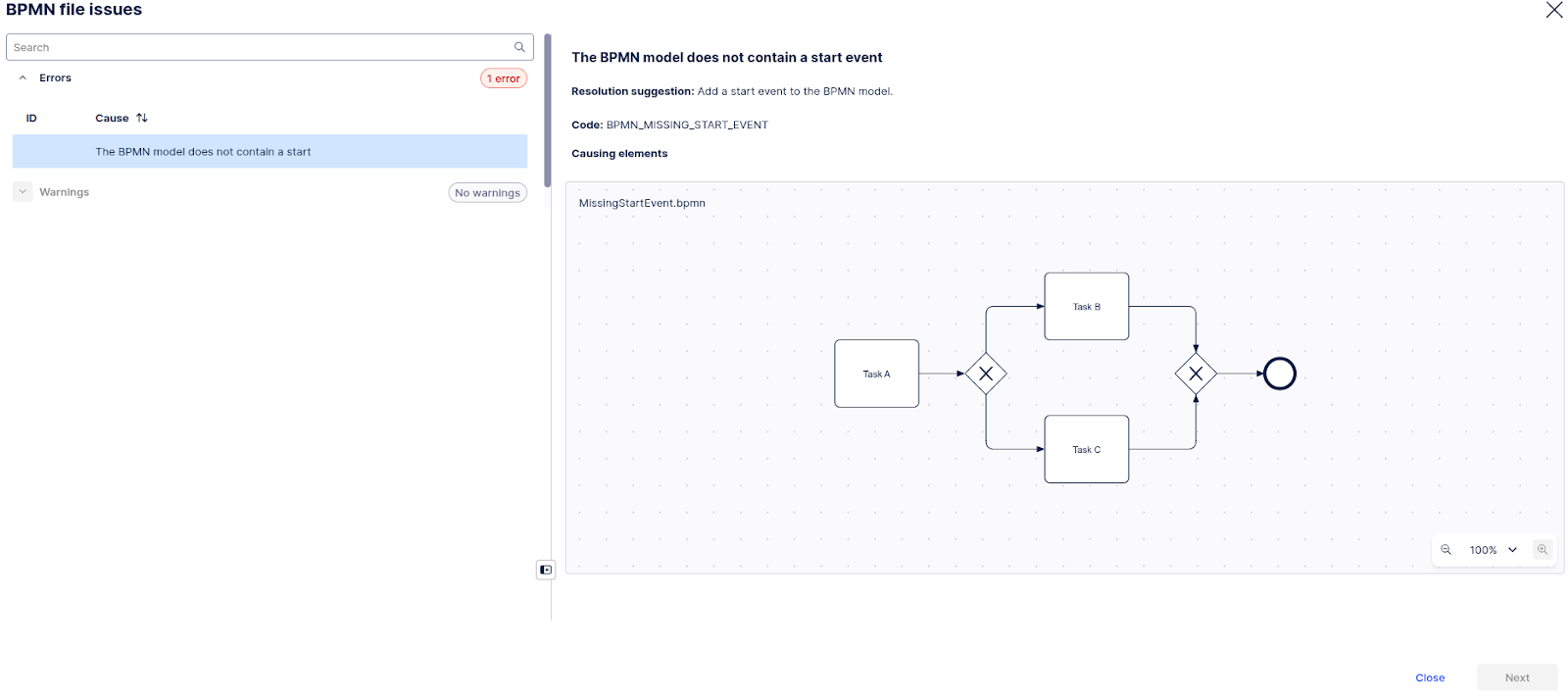
Missing start/end events
If a task, gateway or event (excluding start events) has no incoming flow, a new start event will be added and connected as input to the node. Similarly, if a task, gateway or event (excluding end events) has no outgoing flow, a new end event will be added and connected as output of the node.
 |
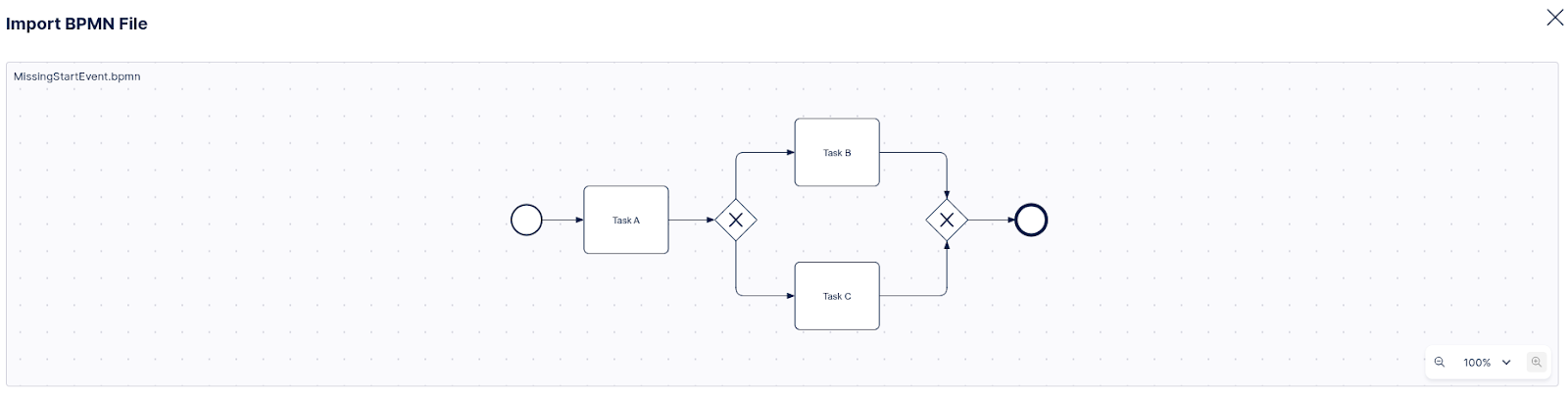 |
This model lacks a start event, which means importing it would fail. With automated repair, a start event is added, and the import succeeds.
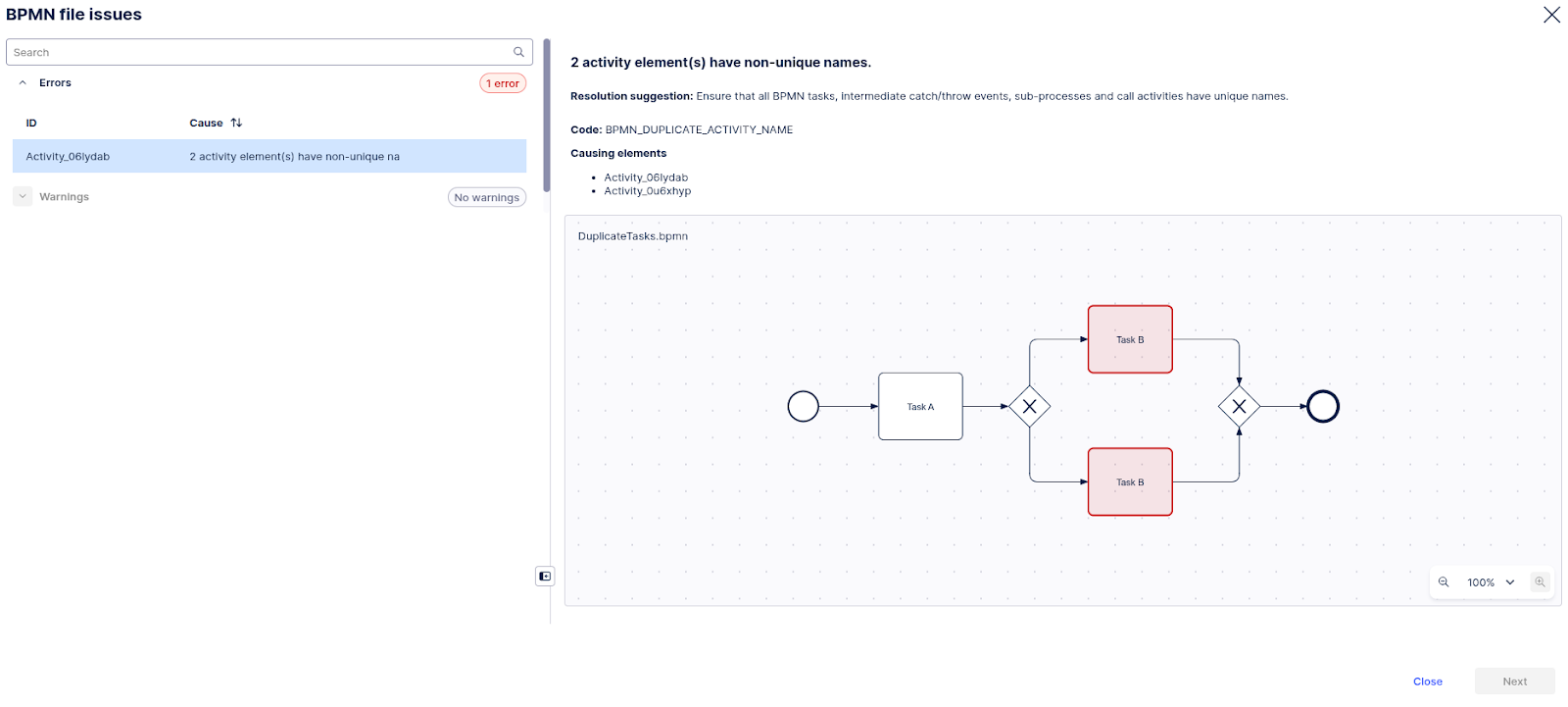
Duplicate task/event names
If multiple tasks or events in a model have the same name, we will add suffixes to differentiate between them.
 |
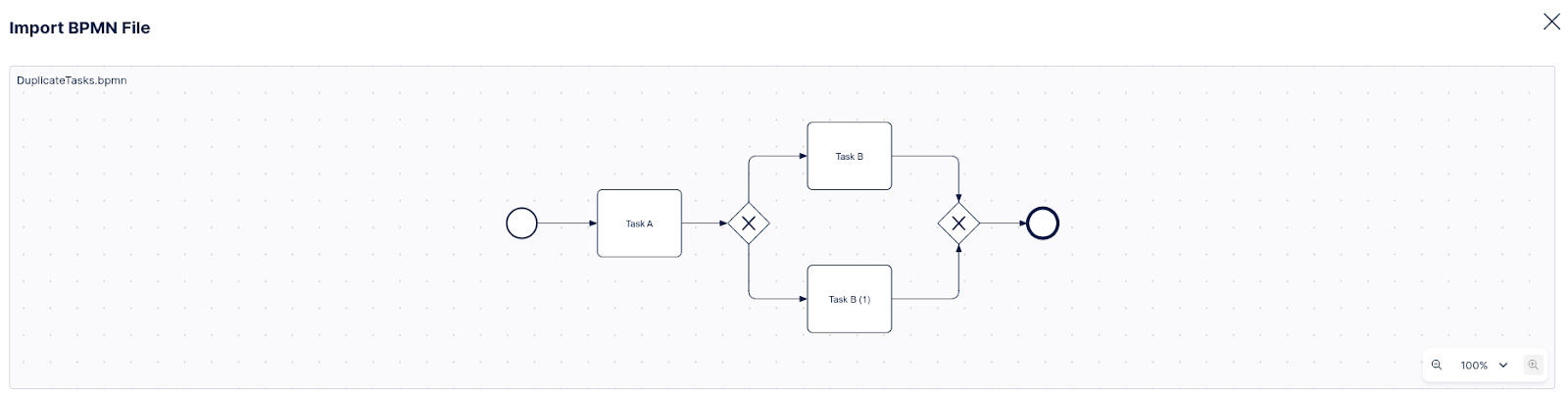 |
This model has duplicate activity names (Task B), which means importing it would fail. With automated repair, names are assigned a suffix that turns them into unique names
Empty activity name
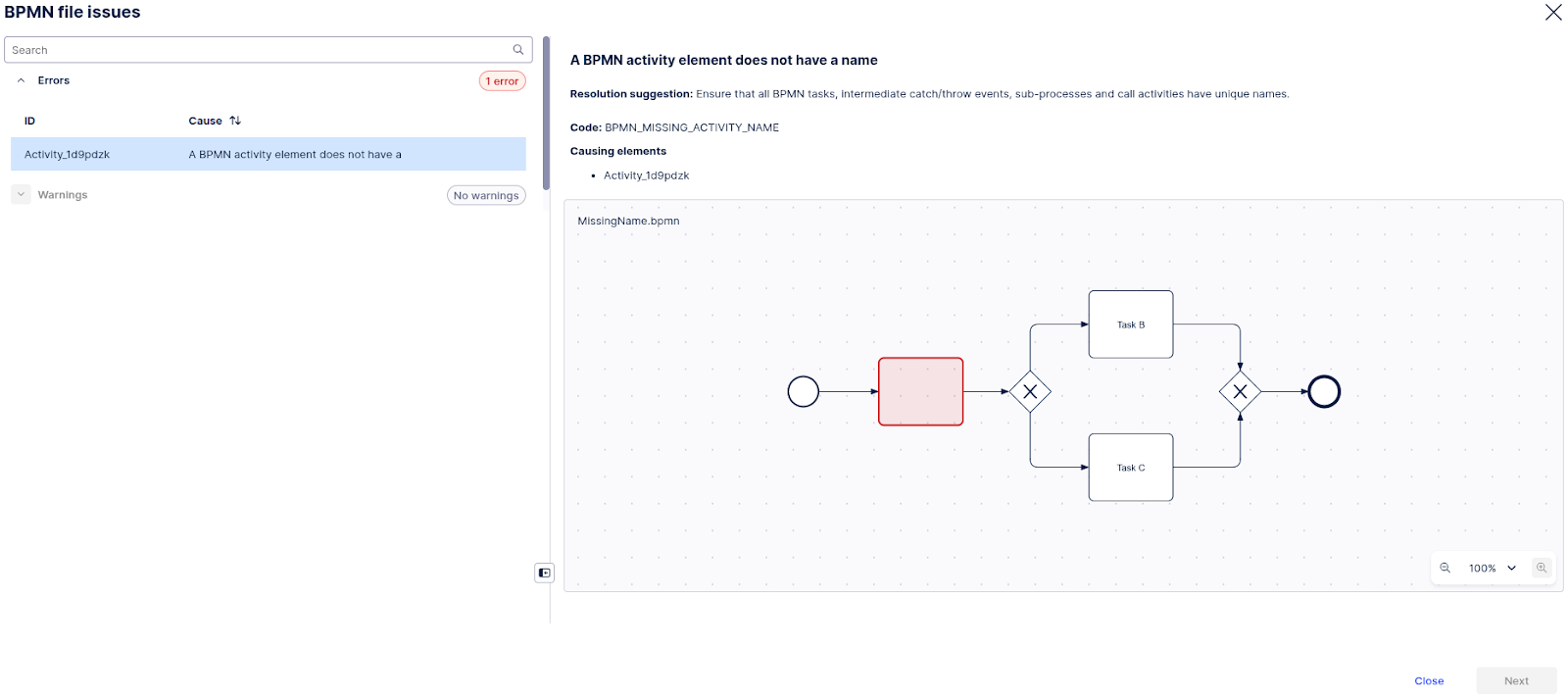
If a task or event has an empty activity name, a placeholder name (__UNLABELED__) is added to it.
 |
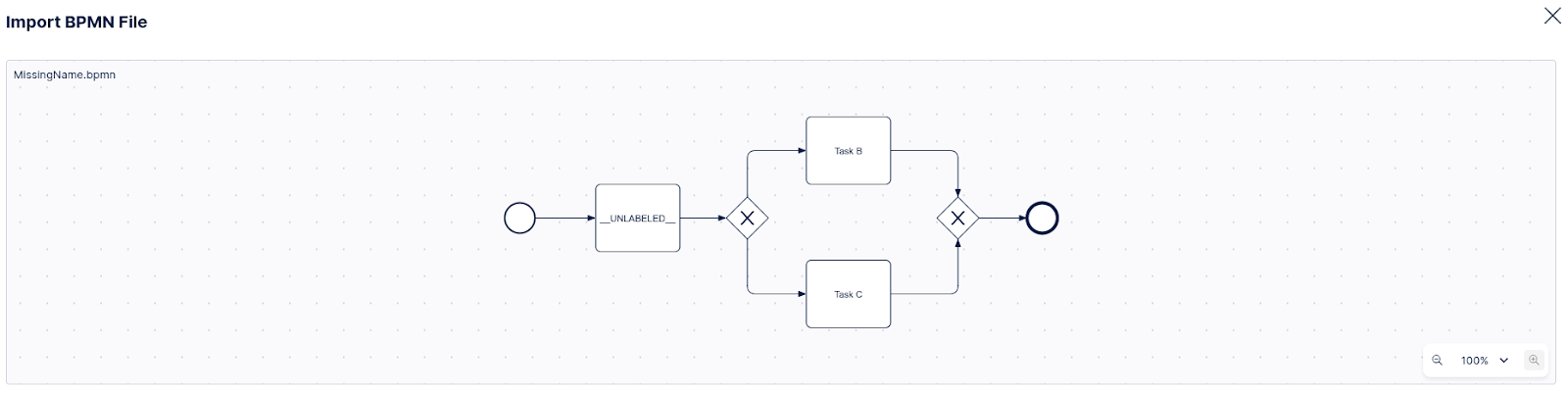 |
Uploading a model with an empty activity would fail. With automated repair, a placeholder __UNLABELED__ is added so the import proceeds to the next step
Missing incoming/outgoing tags
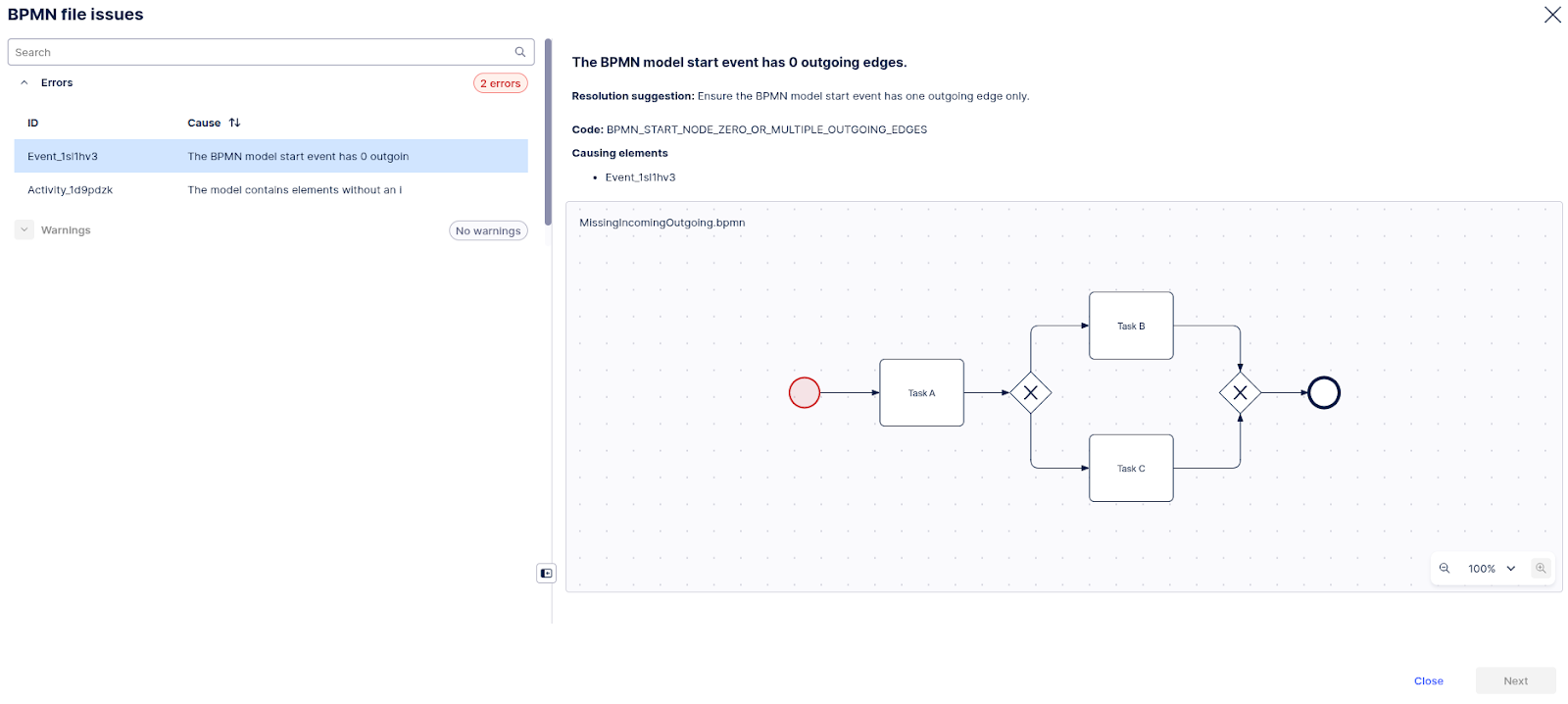
If a model’s flow nodes (tasks, events and gateways) <incoming>/<outgoing> tags are inconsistent with the information provided in the sequence flow tags, the model will be modified using the sequence flows as a source of truth.
 |
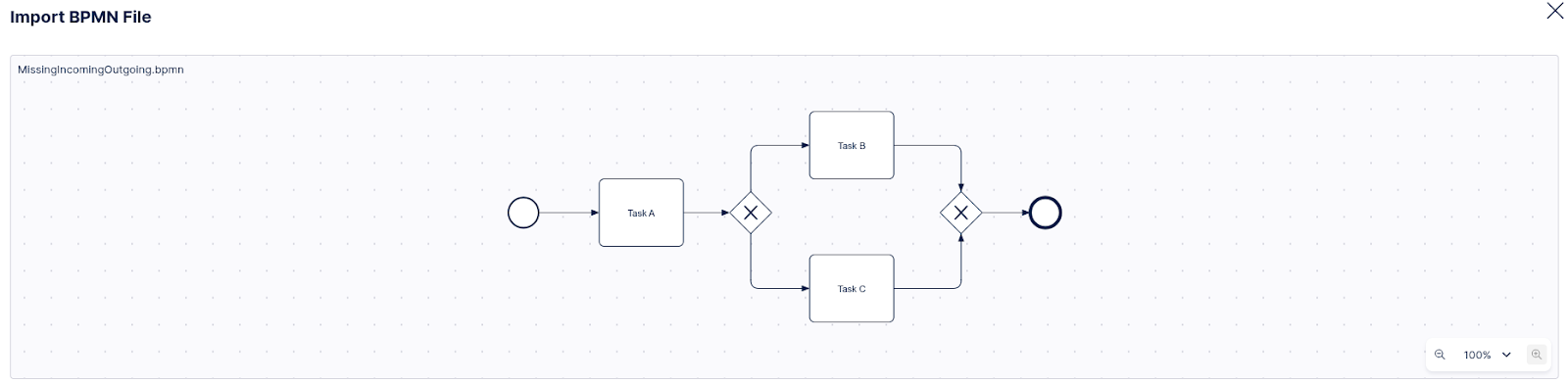 |
Here, the model looks correct on the surface; however, its XML is broken, which causes errors in the downstream processing
If the repair operations are enough to turn the imported model into a valid PAM model, the import proceeds with the “repaired” model. Otherwise, the import will fail, and diagnostics will be displayed on top of the original model.
Multiple start events
In case a model contains multiple start events, these are merged into a single start event using a gateway. The gateway type is guessed to ensure that the resulting model is sound.

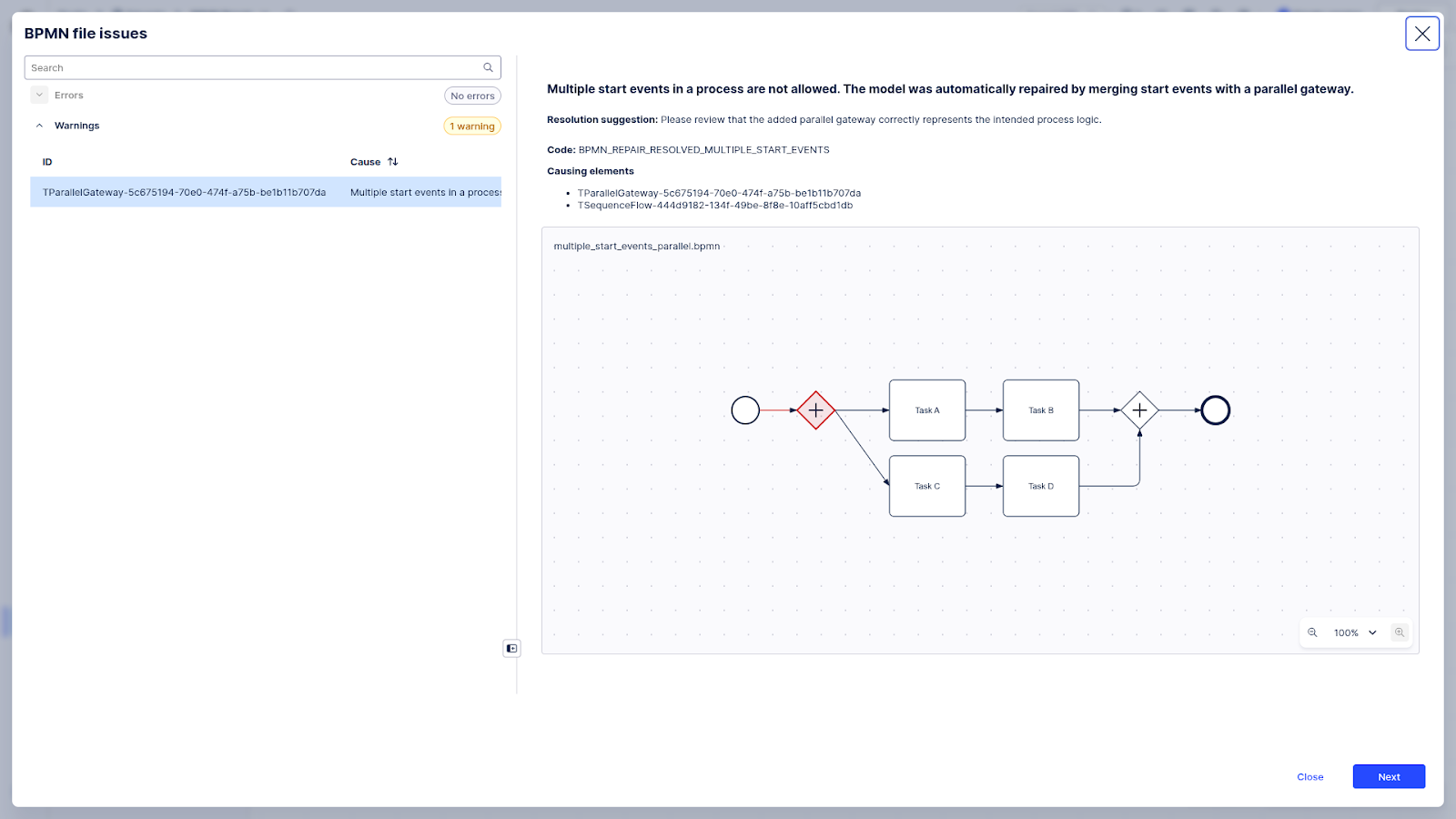
Uploading models with multiple start events would fail. With automated repair, these are merged into a single event with an outgoing parallel gateway.
Multiple end events
In case a model contains multiple end events, these are merged into a single end event using a gateway. The gateway type is guessed to ensure that the resulting model is sound.
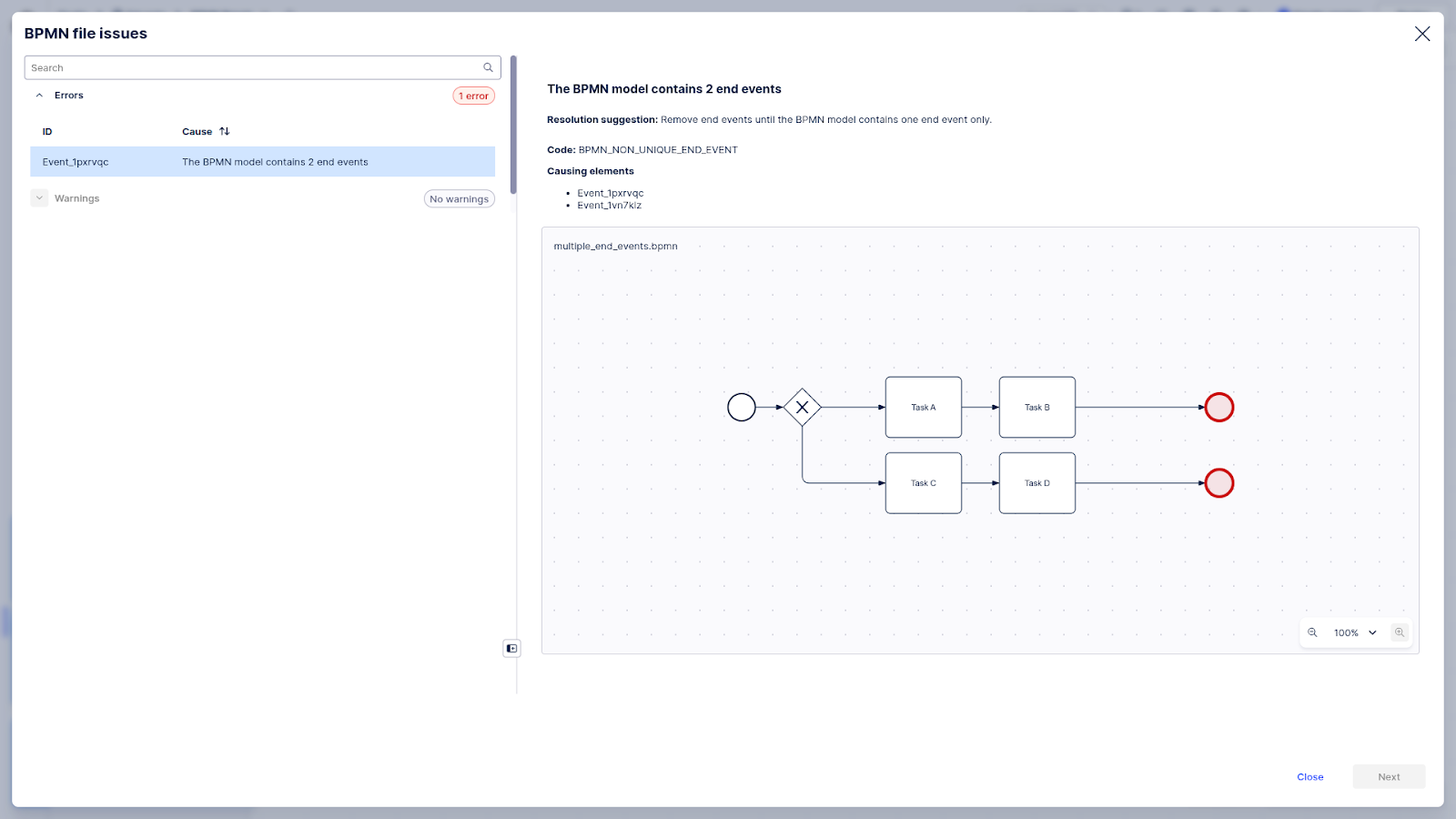

Uploading models with multiple end events would fail. With automated repair, these are merged into a single event with an incoming exclusive gateway.
Multiple Incoming/Outgoing Edges
In case a task/event contains multiple incoming/outgoing sequence flows, the model is repaired by inserting gateways before/after the task/event. The gateway types are guessed to ensure that the resulting model is sound.
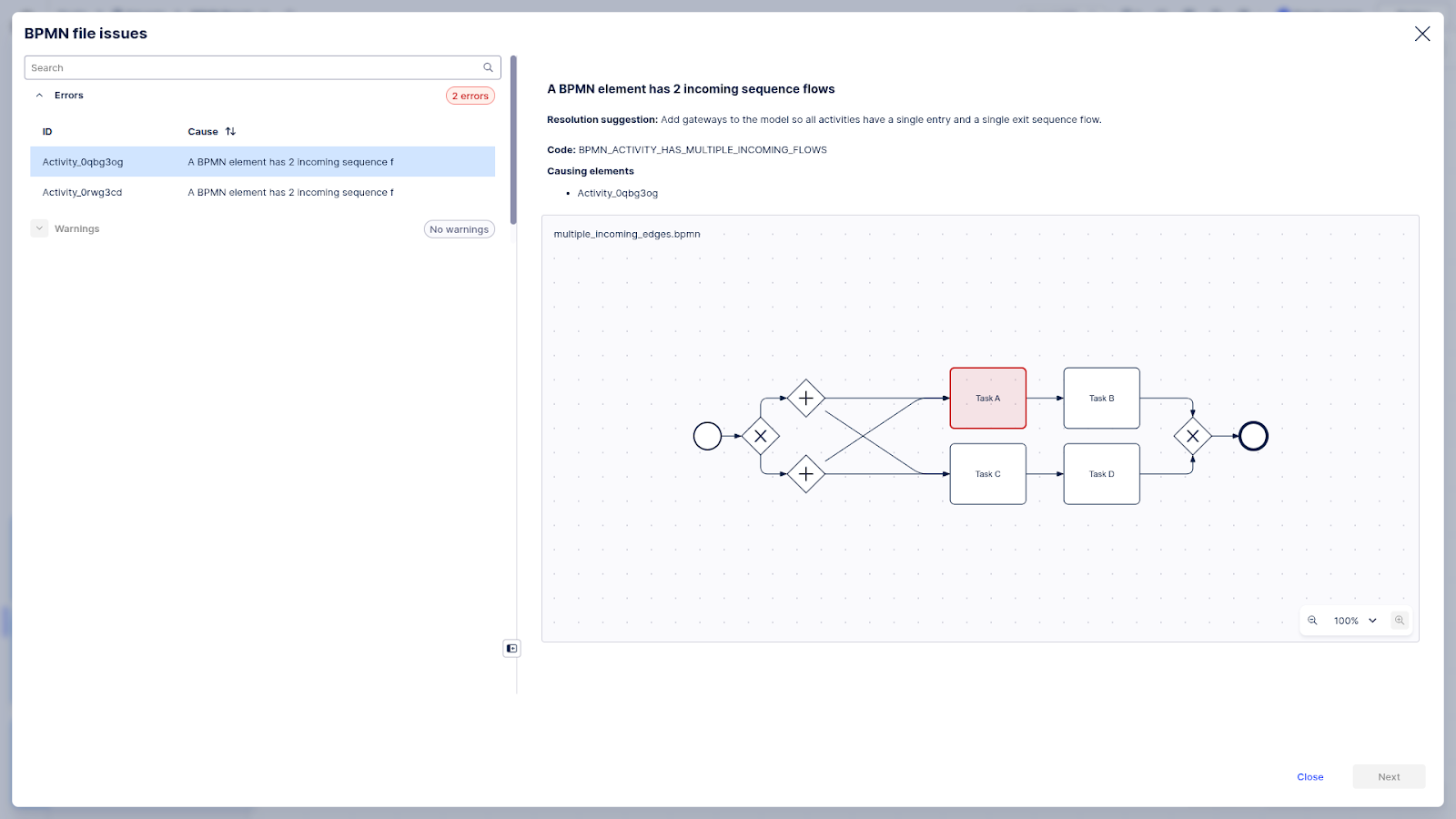
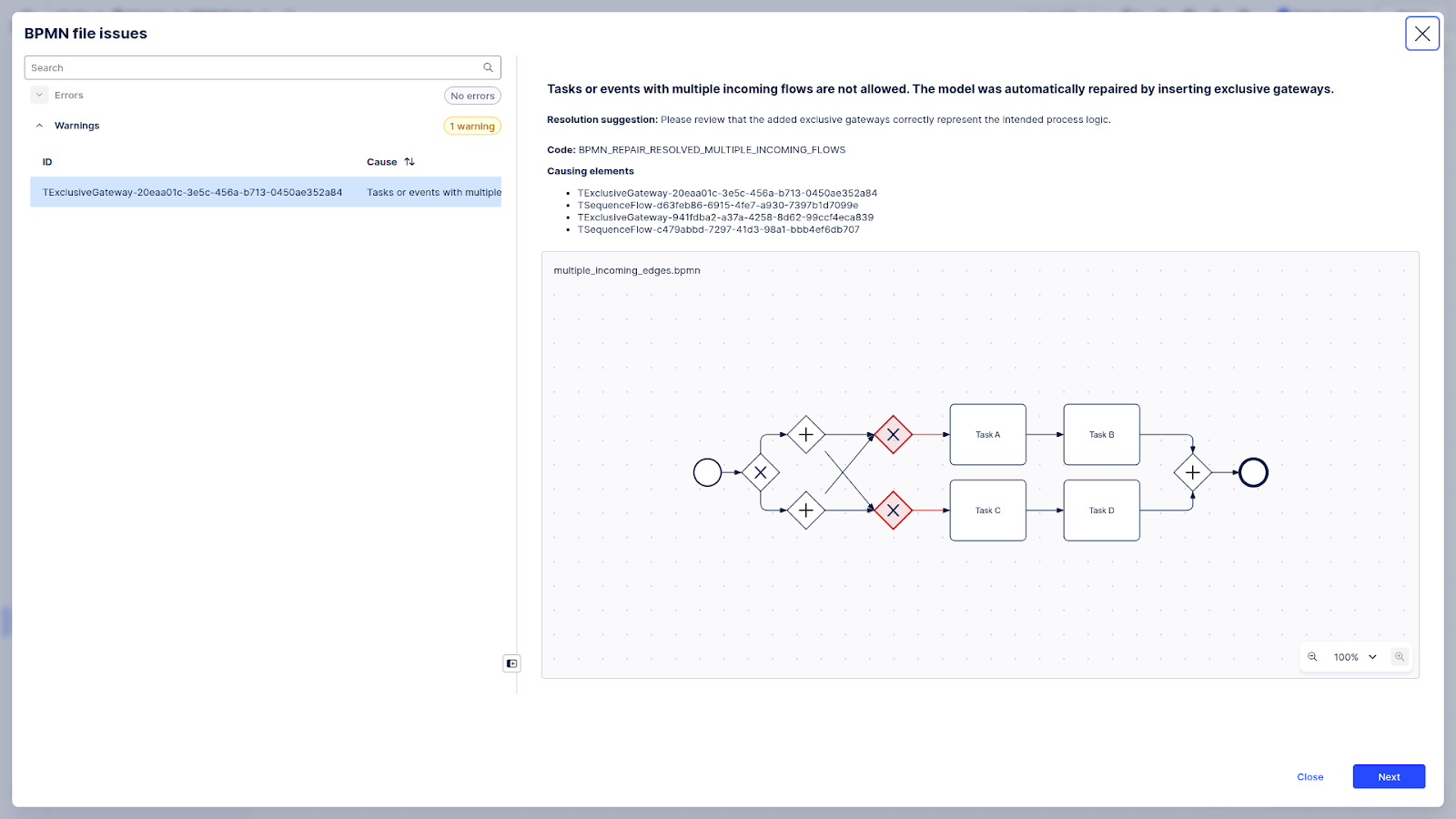
Uploading models where tasks contain multiple incoming flows will fail. Automated repair resolves it by adding incoming exclusive gateways.
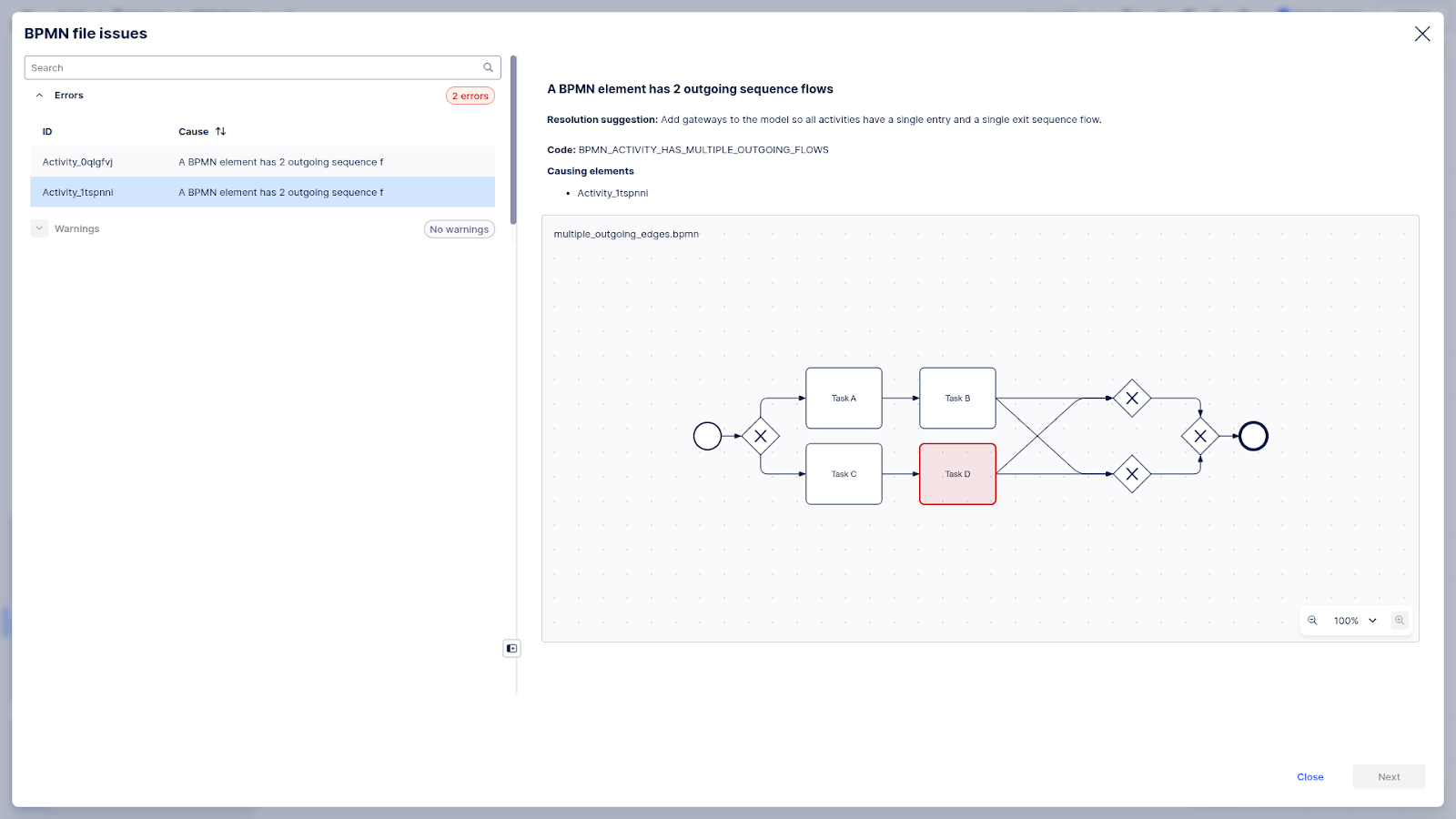

Uploading models where tasks contain multiple outgoing flows will fail. Automated repair resolves it by adding outgoing parallel gateways.