Celonis Process Management to SAP Solution Manager diagram synchronization
This topic introduces the basics regarding how Celonis Process Management diagram elements are synchronized to SAP Solution Manager.
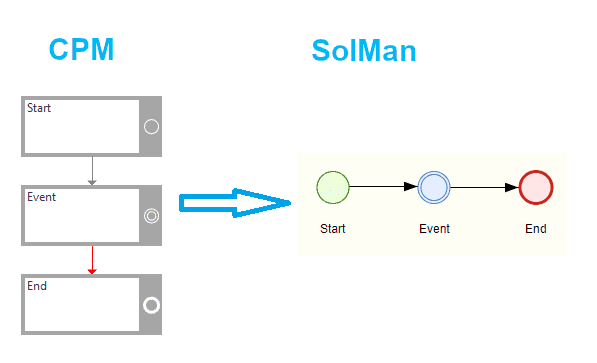
All events from Celonis Process Management will be synchronized to adequate SAP Solution Manager event:
StartEvent => StartEvent
IntermediateEvent => IntermediateEvent
EndEvent => EndEvent
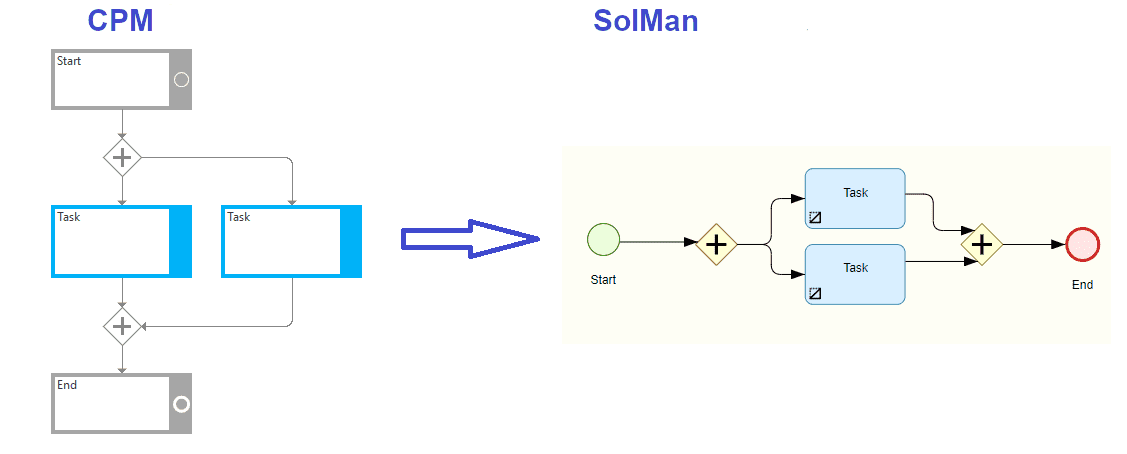
AND Gateways will be synchronized as an SAP Solution Managers Gateway Parallel:
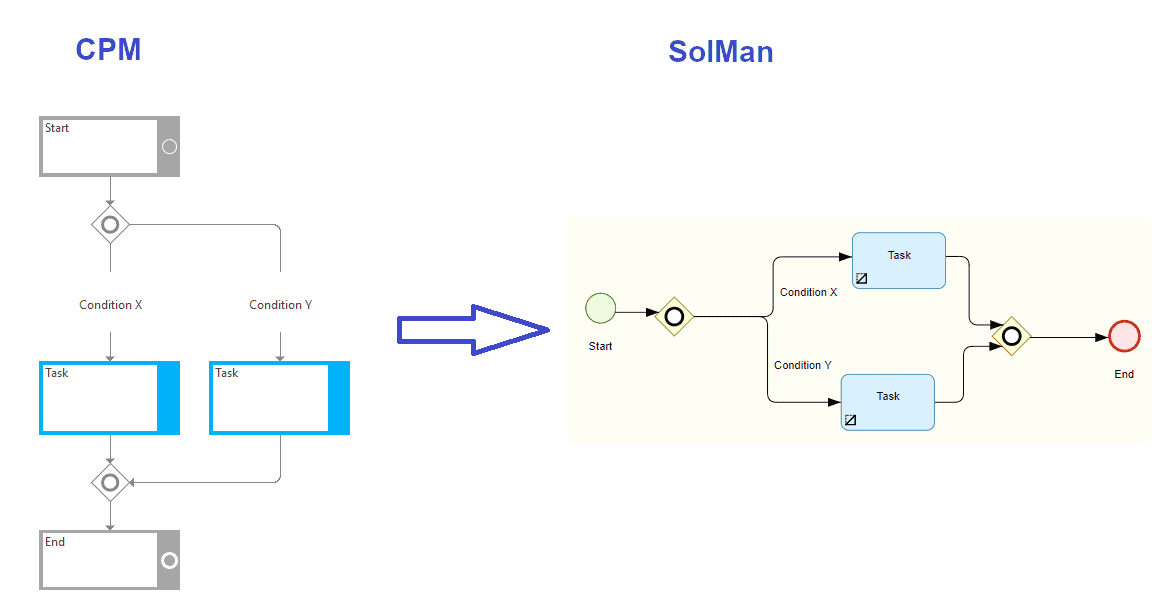
OR Gateways will be synchronized as an SAP Solution Managers Gateway Inclusive. Since SAP Solution Manager does not have “Condition” elements, conditions will be written on the connector arrows:
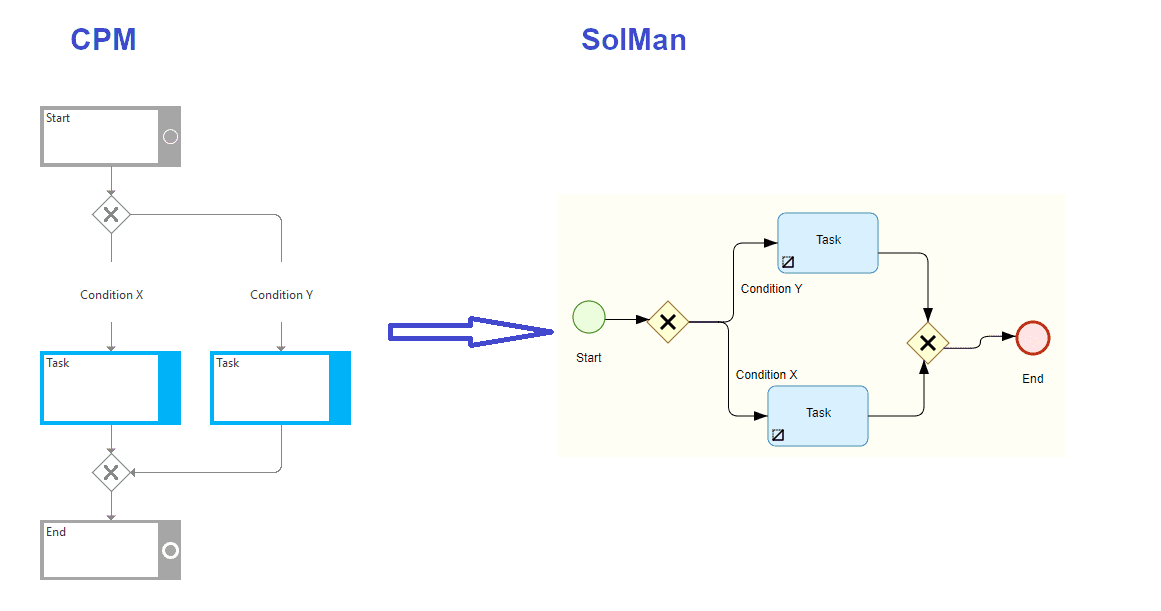
Either-OR Gateways will be synchronized as a SAP Solution Managers Gateway Exclusive. Since SAP Solution Manager does not have “Condition” elements, conditions will be written on the connector arrows:
Both Local task and Global task in Celonis Process Management can be synchronized in SAP Solution Manager in two ways: as a draft task or as a process step.
If a Best Practice Task is attached to the task element, microservice will synchronize that task as a Process Step.

If a Best Practice Task is not connected to a task, a draft taskwill be created in the SAP Solution Manager.
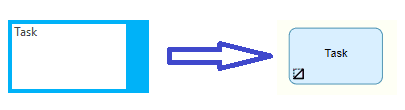
If a Best Practice Task is attached, a reference to the Process Step will be created in the diagram. A reference will have the name and a description of the task, but also a reference to the original Process Step which will remain unchanged.
Documents attached to global tasks
If you attach a link document to the Global Task in Celonis Process Management, it will also be synchronized with the Global Task. Be aware that this is only available if you are creating a reference to the Process Step, so a connected Best Practice Task is required.
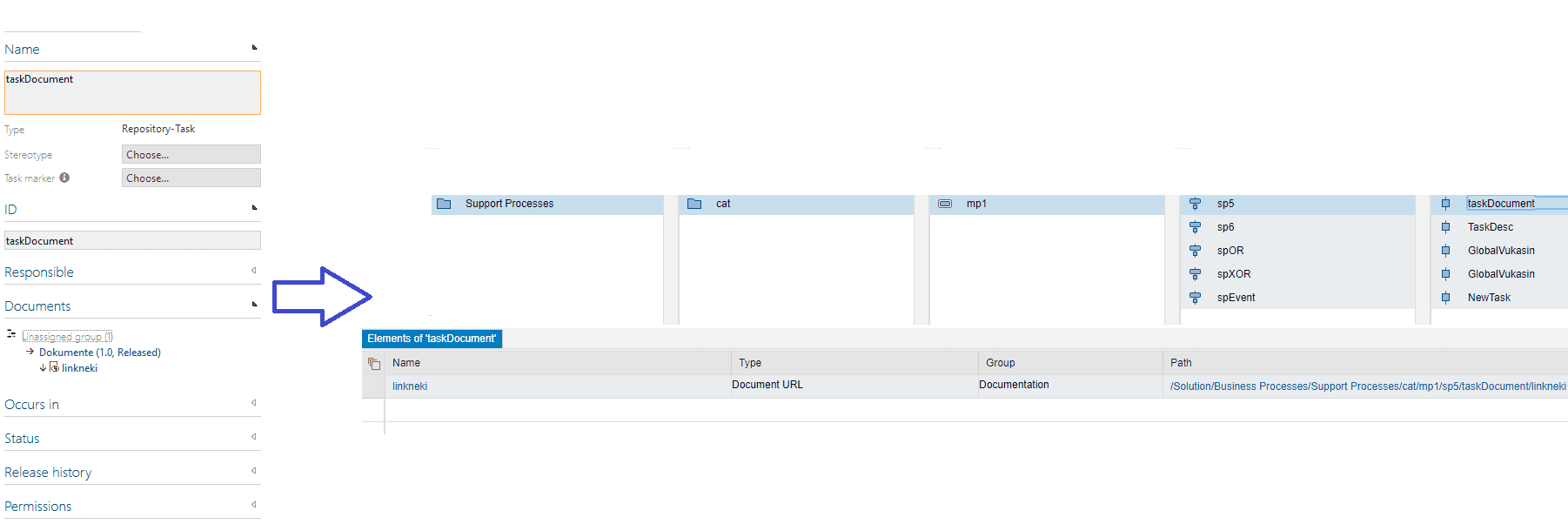
The main point of the consolidation is to keep the consistent state between task references in Celonis Process Management in Solution Manager. The users in both systems can changes the references, so the first rule to note is: Solution Manager is the owner of the process step references.
This means that if a task in Solution Manager has a reference, this reference cannot be overridden by the task reference that comes from Celonis Process Management.
Scenario 1: Synchronize task without best practice task to Solution Manager
In Celonis Process Management you have an task that doesn’t have a best practice task attached.
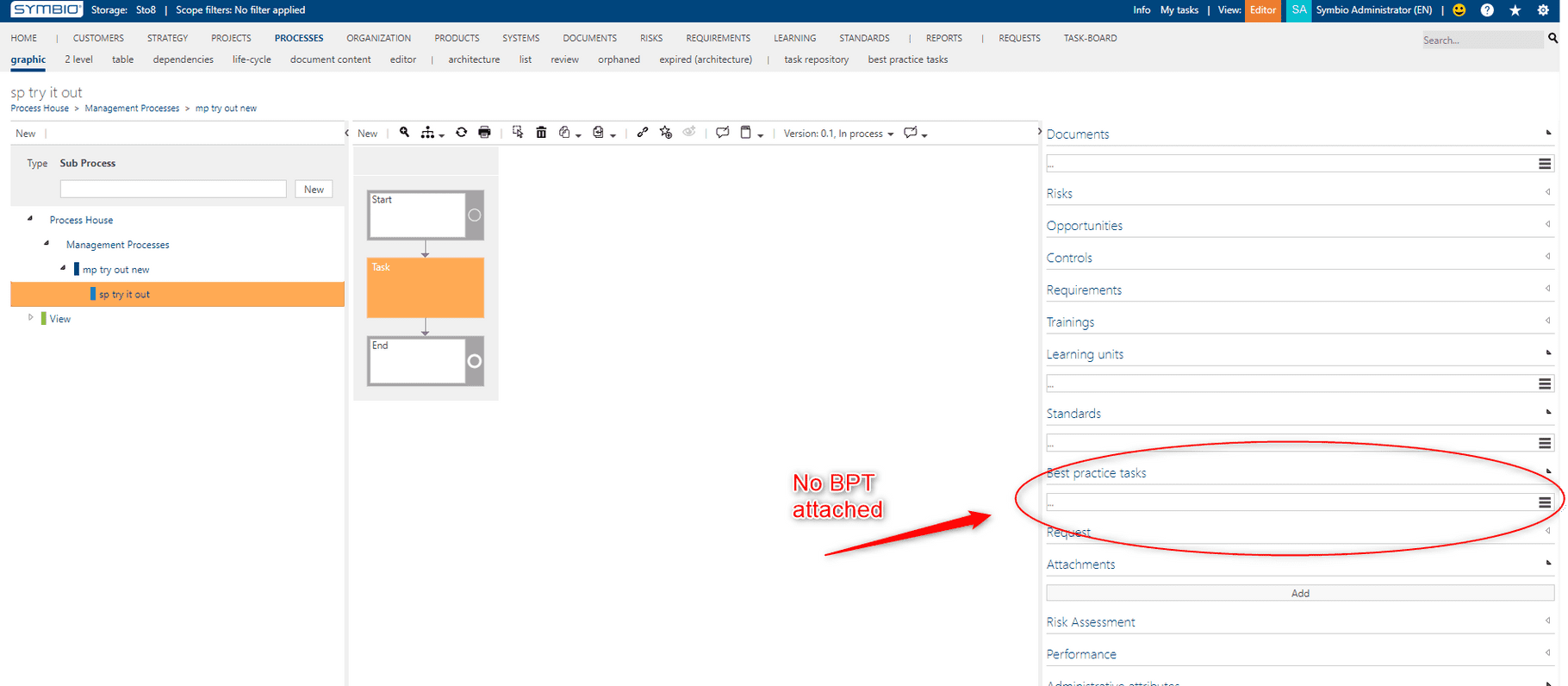
You want to synchronize this sub process to Solution Manager. When the synchronization starts the tasks that do not have the best practice task attached will be provided with a special default process step original. All the tasks that don’t have a best practice task will reference the same default process step original.
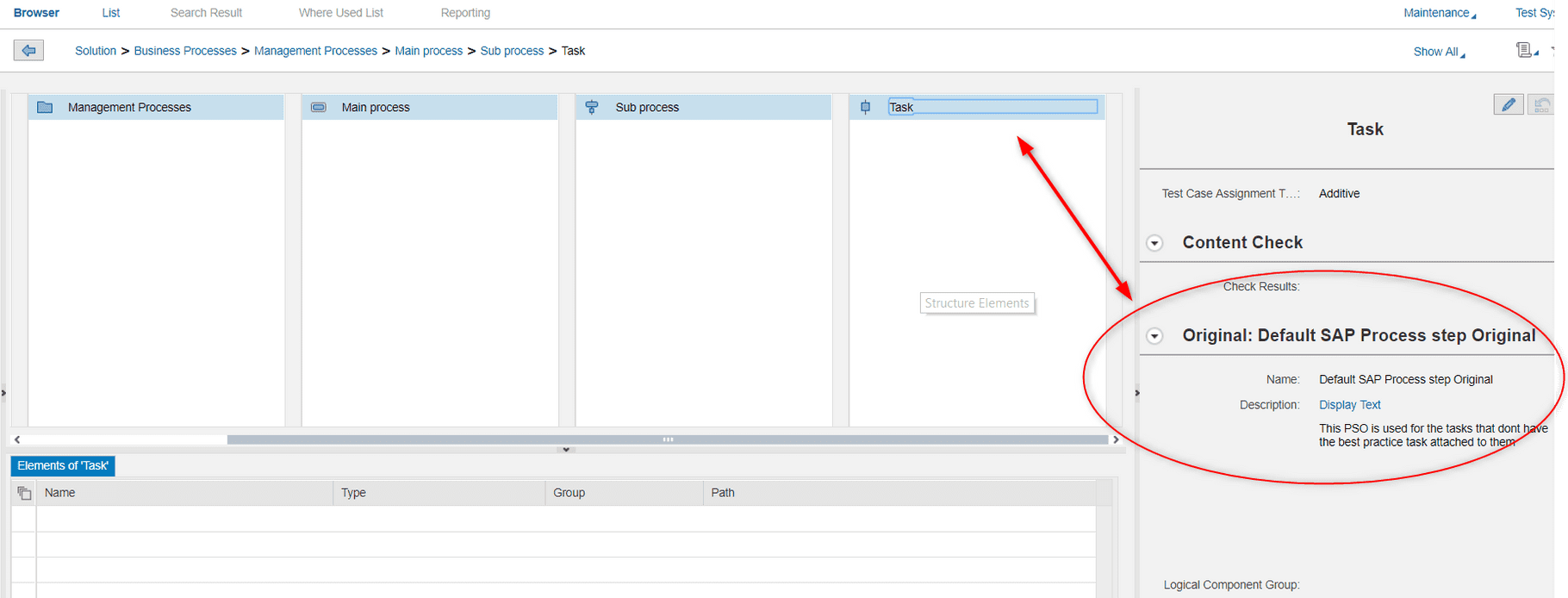
Below is a graphical representation of the synchronization:
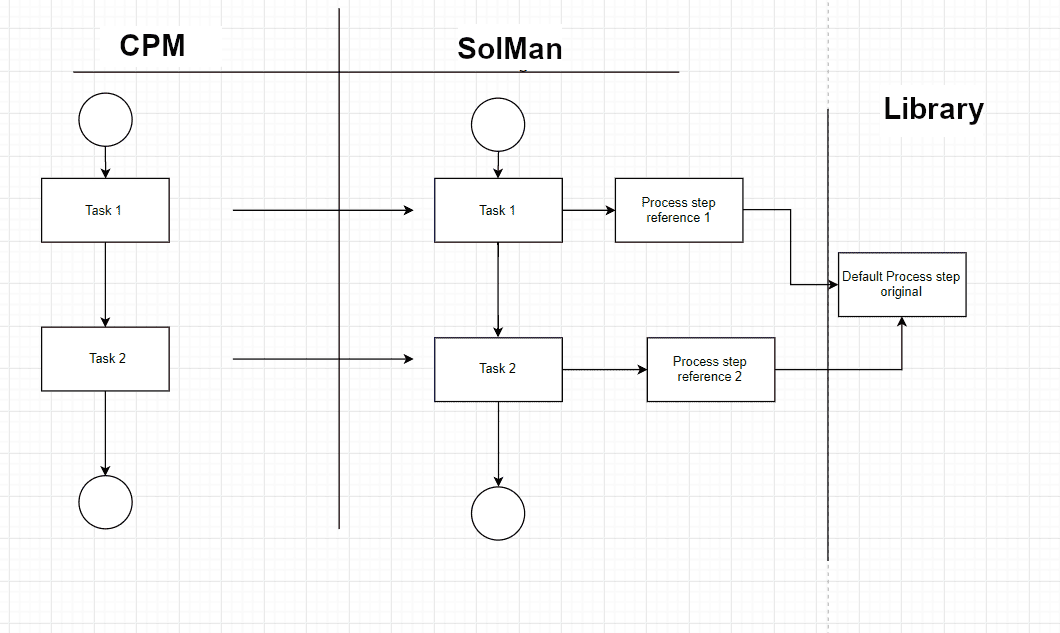
From here, there are two possible cases:
Case 1: Celonis Process Management user attached a Best practice task to a Task
A user in Celonis Process Management attached a Best practice task to a task. Then they synchronize this to Solution Manager.
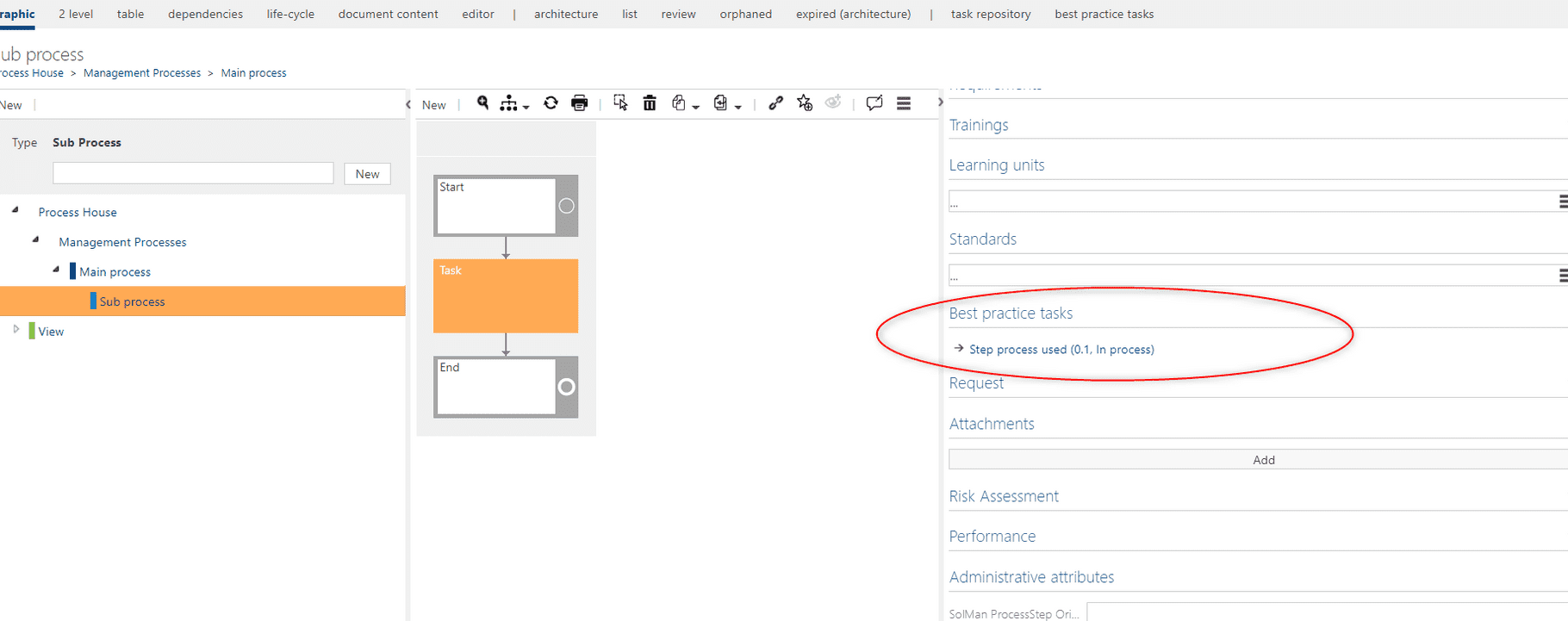
This will change the task reference on the Solution Manager side. If again the Best practice task is changed and the synchronization from Celonis Process Management to Solution Manager is done, the reference will change.
Case 2: SAP Solution Manager user attached a Process step original to a Task
Another user changes the target of the process step reference in Solution Manager and chooses a real process step original instead.
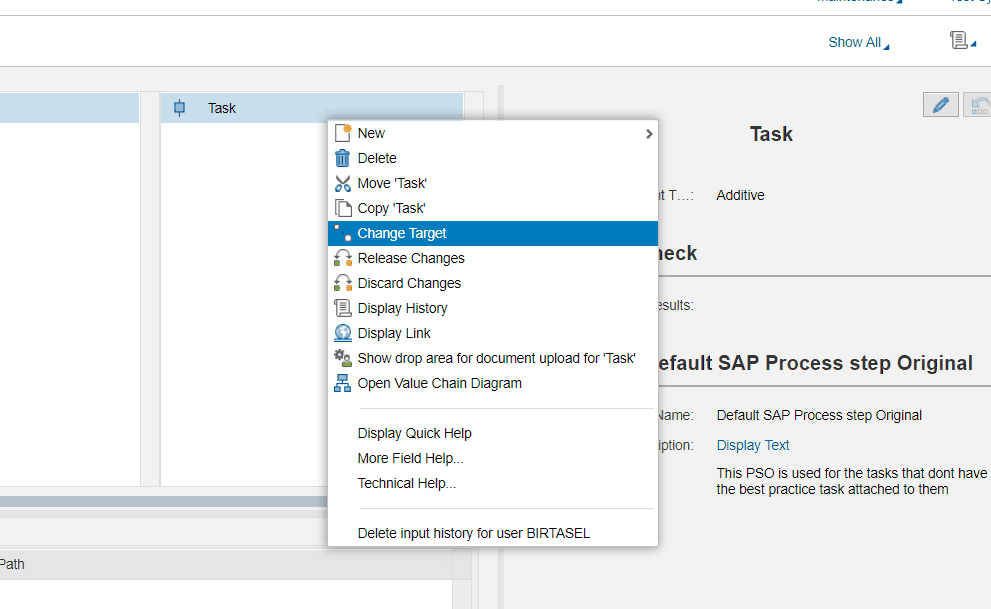
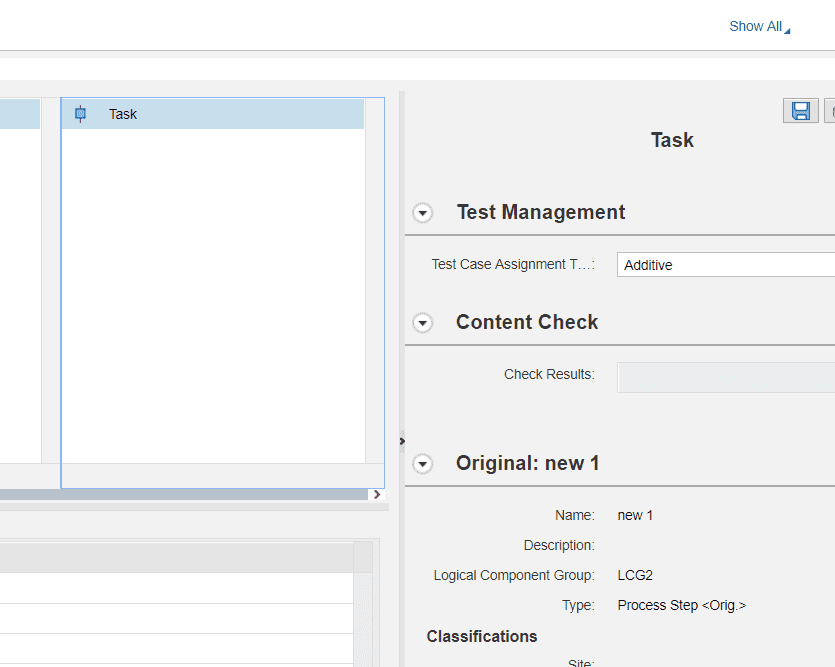
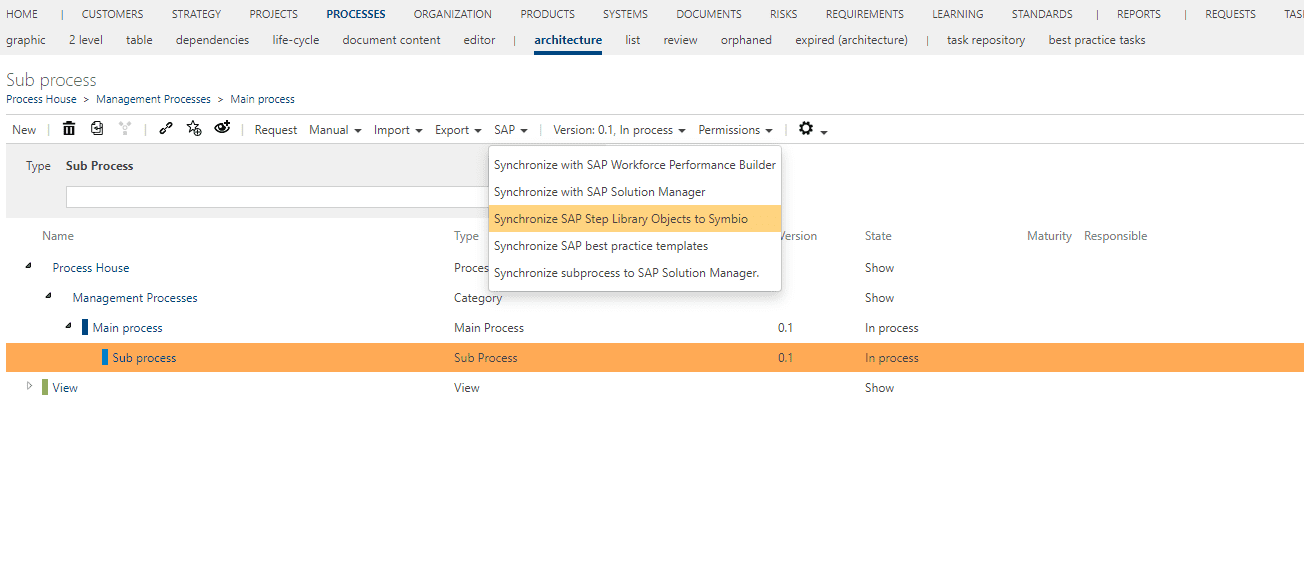
If the user wants to consolidate this back to Celonis Process Management, if they can click Synchronize SAP Step library Object to Celonis Process Management to look for the differences between the references of tasks from Celonis Process Management and Solution Manager. If there is difference the reference from Solution Manager will take priority.
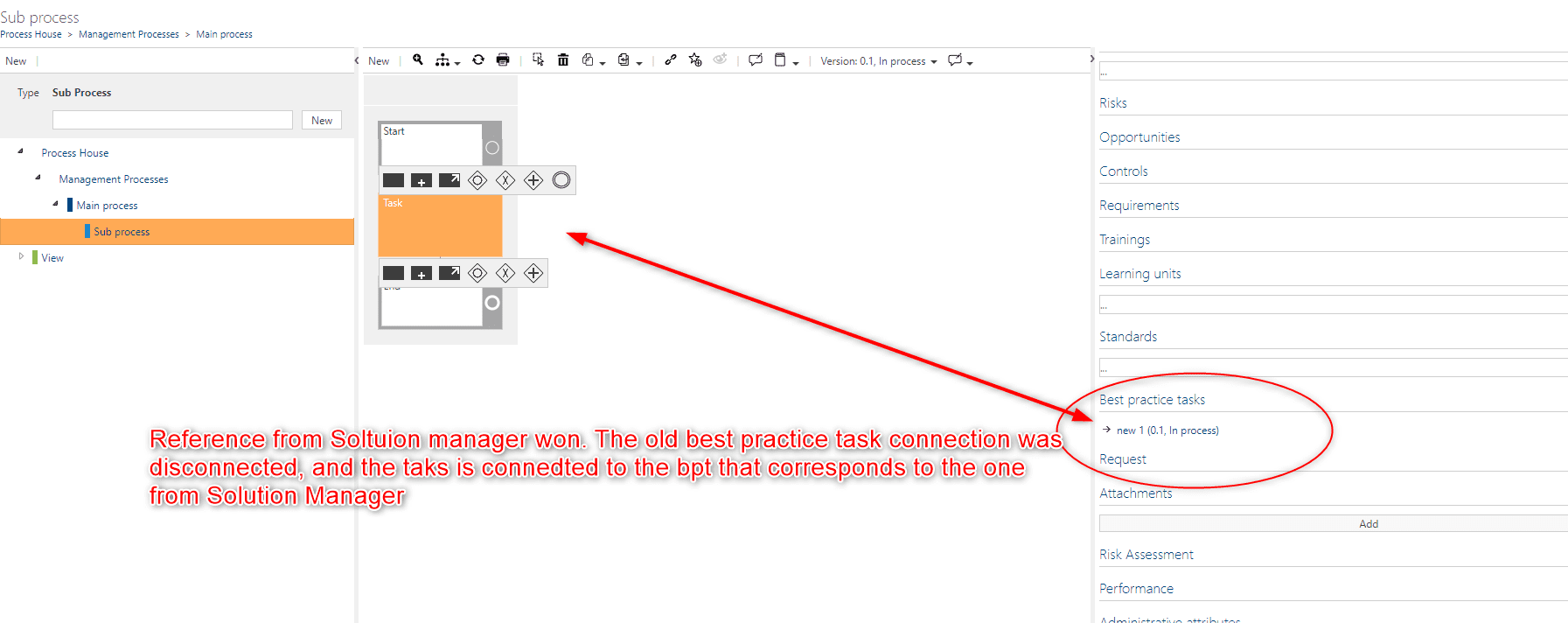
Now the task will also have another custom attribute called “SolMan Process step original id”, that stores the ID of the SAP Solution Manager reference from the latest consolidation. Now if a user changes the best practice task attached to the task and tries to synchronize this to Solution Manager, it will fail. Now, when that task has been consolidated, it will not be possible to synchronize change of the reference to Solution Manager. If another user in SAP Solution Manager changes the reference and consolidates again, this will change the best practice task attached.
Note
If both sides of the references change, and the user doesn’t select the Synchronize SAP Step library Object to Celonis Process Management option to consolidate the change from Solution Manager to Celonis Process Management, then when synchronizing from Celonis Process Management to Solution Manager the Celonis Process Management reference will win. So if the user wants their changes to be consolidated to Celonis Process Management, they have to select that option or these changes will be lost the next time they synchronize a sub process from Celonis Process Management to Solution Manager.
Also the default process step original will never be consolidated and will never exist in Celonis Process Management.
Scenario 2: Synchronize Task with Best practice task to SAP Solution Manager
When a user creates a task and attaches a best practice task to it, and then synchronize that sub process to Solution Manager the task reference will be synchronized to Solution Manager. Until the user consolidates, they can change the reference from Celonis Process Management to SAP Solution Manager. Once they have consolidated the change, it will not be possible in SAP Solution Manager.