Quickstart for custom source systems
Connect non-standard source systems to Object-Centric Process Mining (OCPM) to unify custom infrastructure data fields with your core business models.
Setting up an end-to-end data pipeline for systems other than SAP ECC or Oracle EBS (such as home-grown billing tools, legacy mainframes, or custom CRM solutions) allows you to build customized process variants without fracturing core data models.
Make sure you have these system setups ready before building your pipeline:
Admin permissions for the target Celonis team.
A fully initialized OCPM data pool structure.
Custom SQL transformation maps aligned with target object-centric data models.
Before generating data jobs, map your source system tables to the target data pool using one of the following integration paths:
Data table status | Method |
|---|---|
Source tables do not exist in platform. | Establish a new custom data connection. See: Connecting data sources. |
Source tables exist in a separate data pool. | Copy the tables into your target data pool. |
After connecting your custom source system to the Celonis Platform, extract the raw relational tables into your target data pool so they can be processed.
Tip
If you are setting up an Order-to-Cash process from a proprietary CRM, extract your raw order header tables (e.g., custom_orders_main) and item detail tables (e.g., custom_orders_items).
From the data pool diagram, click Data Jobs and select Add Data Job.
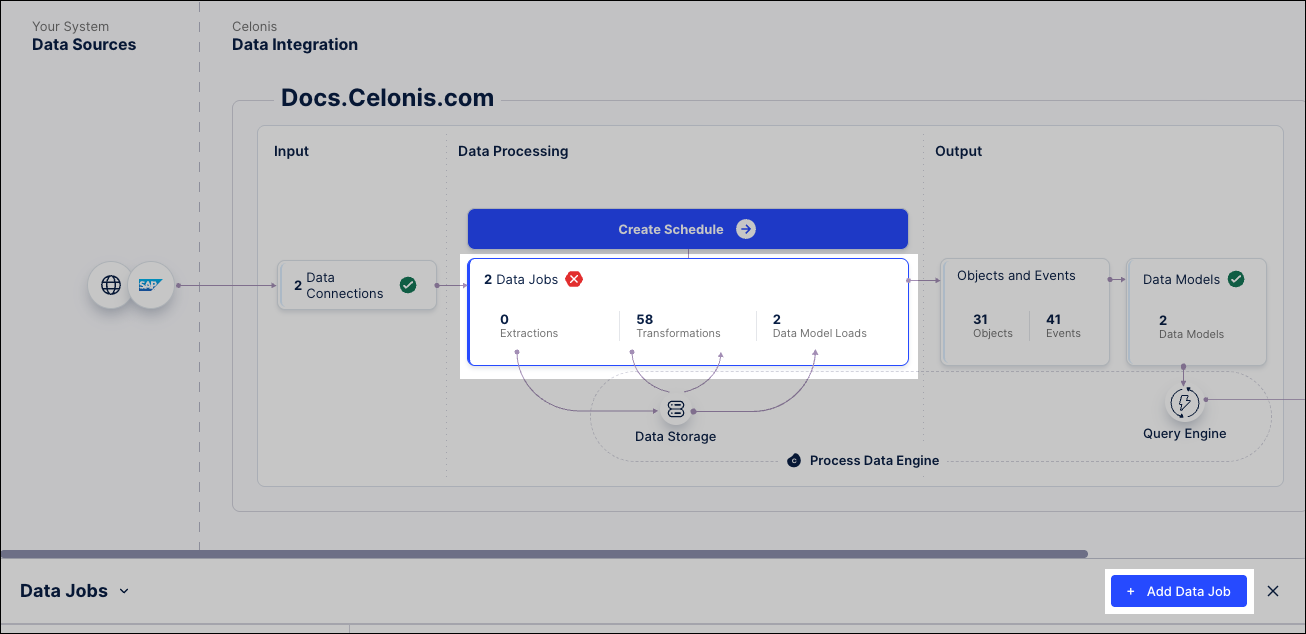
Enter a name for the data job and specify your Data Connection.

Click Save.
Select your new data job, and select the Add Tables button to create an extraction task.
Select the source system tables via your Data Connection, and configure the filters for your target data model.
Enable process definitions from the catalog to map standard Celonis object types, event types, relationships, and perspectives to your custom data pool framework.
Click Data - Objects and Events and select the OCPM data pool you want to use.
Click + Add from catalog.
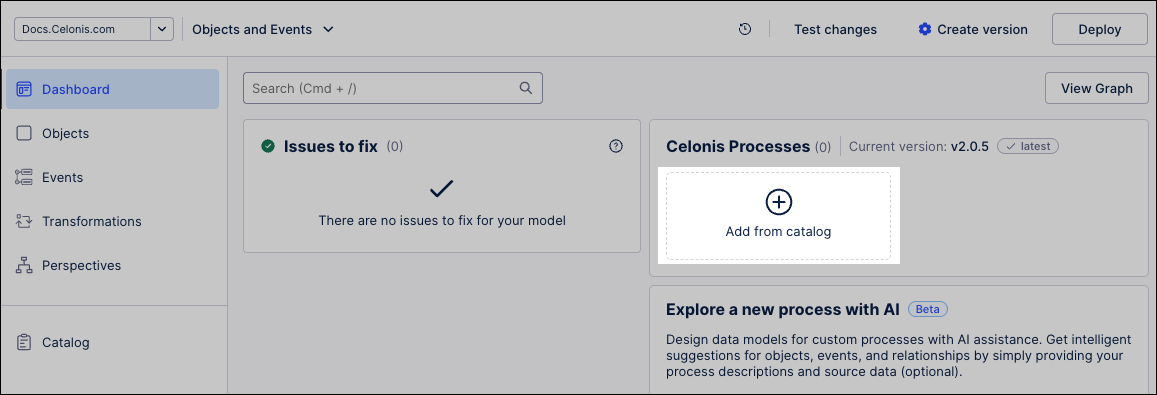
Click the name of any of the Celonis processes, such as Procurement, and use the Enable process slider to enable it.
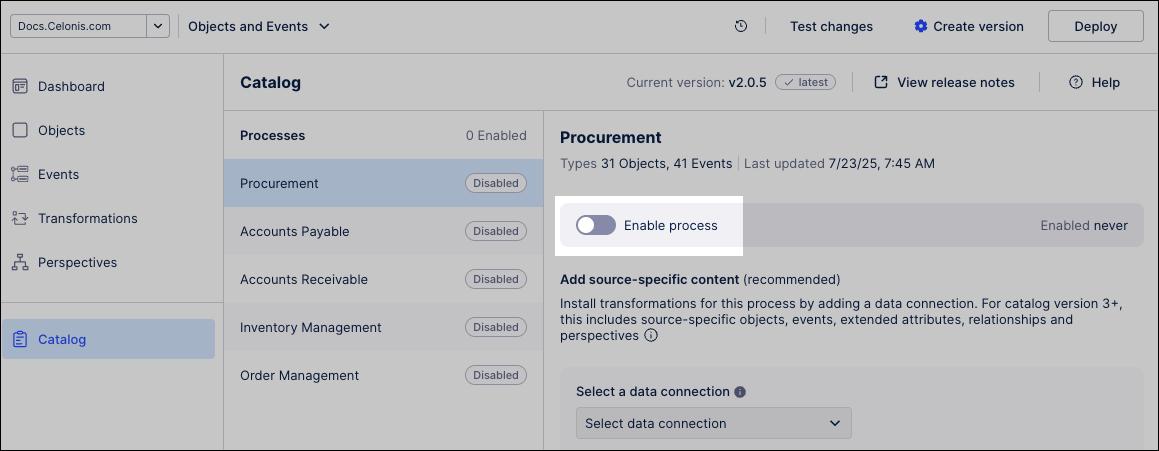
The Celonis object types, event types, relationships, and perspective for that process are enabled.
To add the Celonis transformations, select your data connection from the dropdown and click Add.
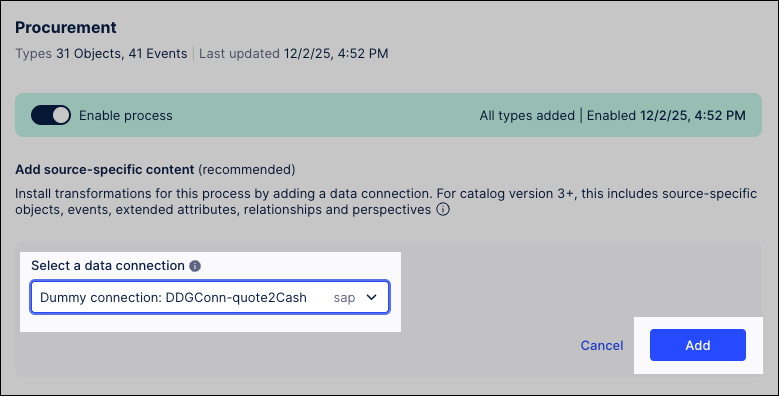
Optional: If your source system is missing data fields required by standard Celonis objects, enable Skip missing data to allow transformations to run despite errors.
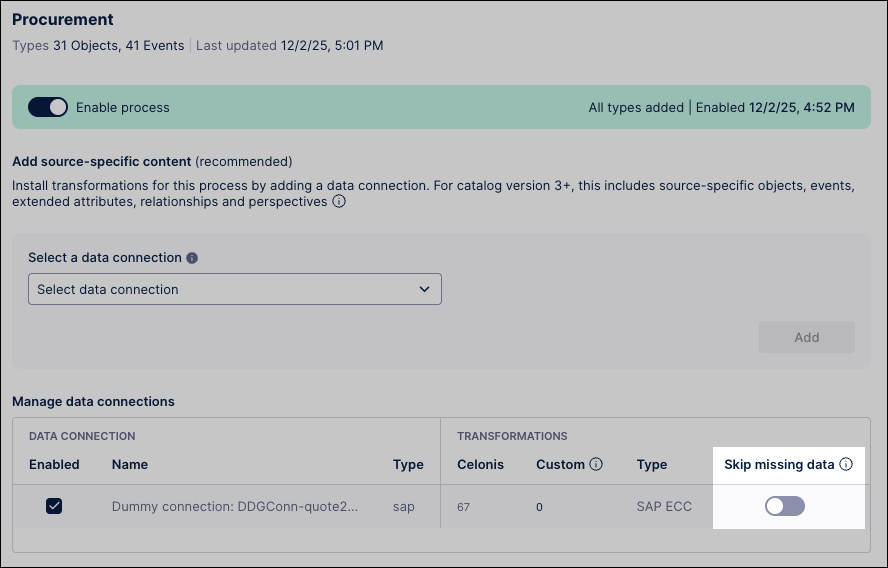
Create your custom SQL transformations to map your extracted raw data to the object-centric data model. You must do this for all enabled Celonis object and event types, as well as any custom types.
Tip
Your custom SQL should write data directly into pre-defined OCPM tables. For instance, map your raw field
custom_orders_main.cust_idto the standard OCPM target columnSalesOrder.Customer.Create a version of your data model by navigating to Data - Objects and Events and clicking Create version.
To learn more about creating versions and deploying them to production, see: Versioning and deploying OCDM
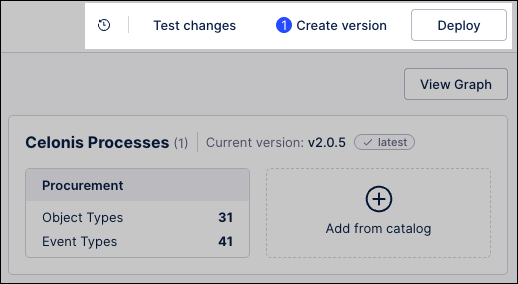
Deploy the version to production by clicking Deploy and completing the setup wizard.
This updates the live environment schema to receive your incoming pipeline data.
Run your configured extractions to pull raw data from your custom source systems and transform it into the production OCPM model.
Click Data - Data Integration and select the object-centric data pool you deployed in the previous steps.
Click Data Jobs, opening the overview of your configured data jobs.
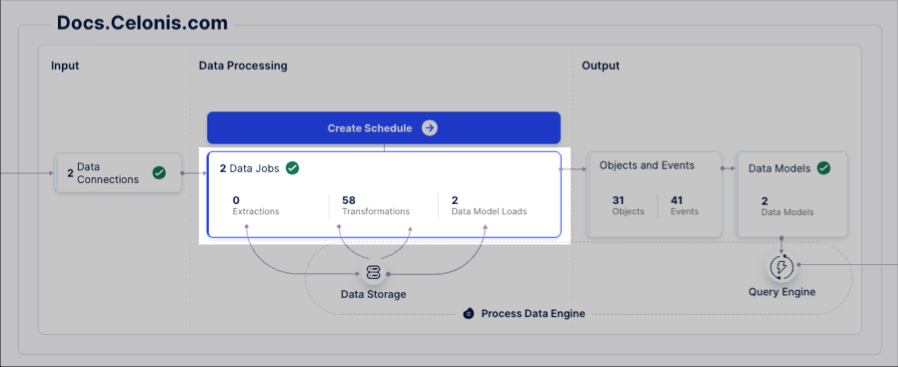
For each of the data jobs listed, click Options - Execute Data Jobs.
Repeat this step for each additional source system connection.
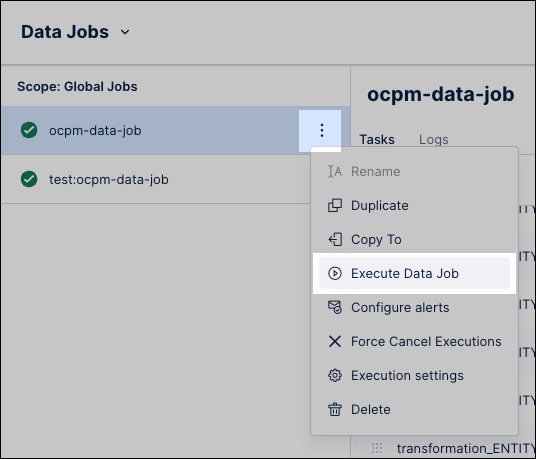
Click Full Load, then Execute Selection.
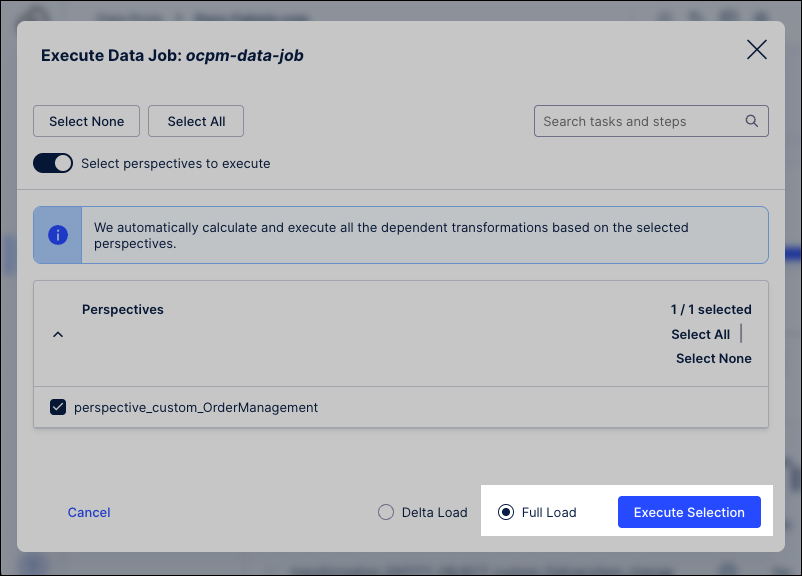
The extractions execute, processing your raw source data, running your SQL transformation scripts, and establishing the final object-centric data structure inside Celonis.
Note
Initial full loads can consume massive computing resources depending on database size. Consider applying filters to limit historical data (e.g., records from the last 12 months) during testing phases.
Set up a schedule to run your data pipeline regularly. See: Scheduling the execution of data jobs.
When available, apply updates to the object types and event types that you've installed from the Celonis catalog. See: Core process catalog.
Customize and extend the object-centric data model for your business’s specific needs. See: Extending or editing existing objects and events.
Analyze your business processes using the objects and events you’ve built. See: Views.