The Path to Value with the object-centric Procurement Starter Kit
The Procurement Starter Kit helps you quantify how much value you can realize in the Procurement process with the Path-to-Value view. Use Path-to-Value view to present an overview of Value Framing and get buy-in.
Identify value
Process initial use case level validation on each potential use case in Path-to-Value tab.
Adjust value identified calculation from Celonis recommendation together with business SME.
Add into the list additional use cases you find from Process Exploration.
Present your findings to main decision maker (typically Process Lead (e.g. Head of AP)) using Path-to-Value view. Select use cases prioritized for value framing based on value, feasibility, alignment with priorities. Define opportunity owner for each prioritized use case.
Frame value
For each selected use case, go to their 'Frame value' tab:
Use the available charts and tables to find the correct scope for the value project, like which plants, materials, or sales organizations to focus on. This scope should have the most value accumulated or be the lowest-hanging fruit to tackle.
Adjust the value calculation together with the opportunity owner. Celonis recommends here to measure value framed with a more accurate rate-based approach (see Celonis Value Methodology for details).
When you are done finalizing the scope, validating the formula, and adjusting the inputs, type in the value you see in the KPI on top and type it in the “Framed value” input. This will save the value and be shown in the Path-to-Value view.
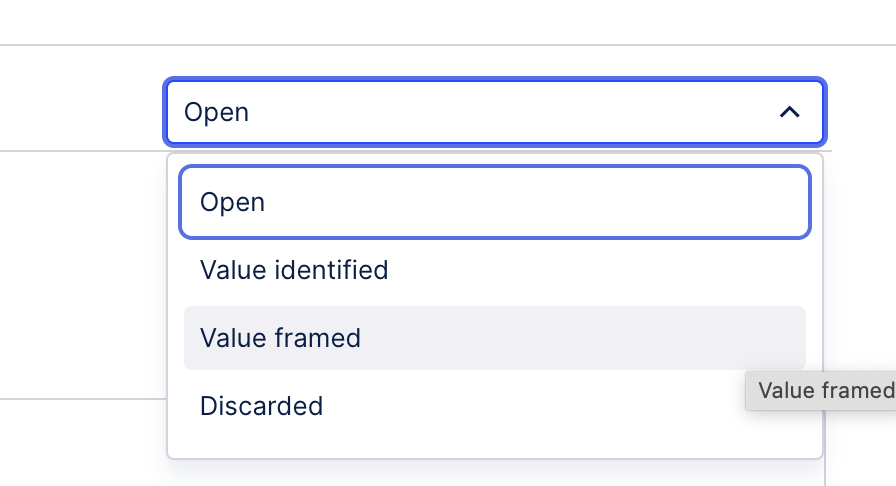
Change the status value with the dropdown in the top right to “Value framed” to indicate that the value for this use case has been framed and that you can continue with the next use case.
Here is one example of how you can frame the value for one use case. Repeat this process for every use case you want to frame a value for. Ideally, you would select beforehand three or four use cases to focus on. To help you with the selection, use the “Identified value” KPIs of each use case to select the ones with the biggest potential impact.
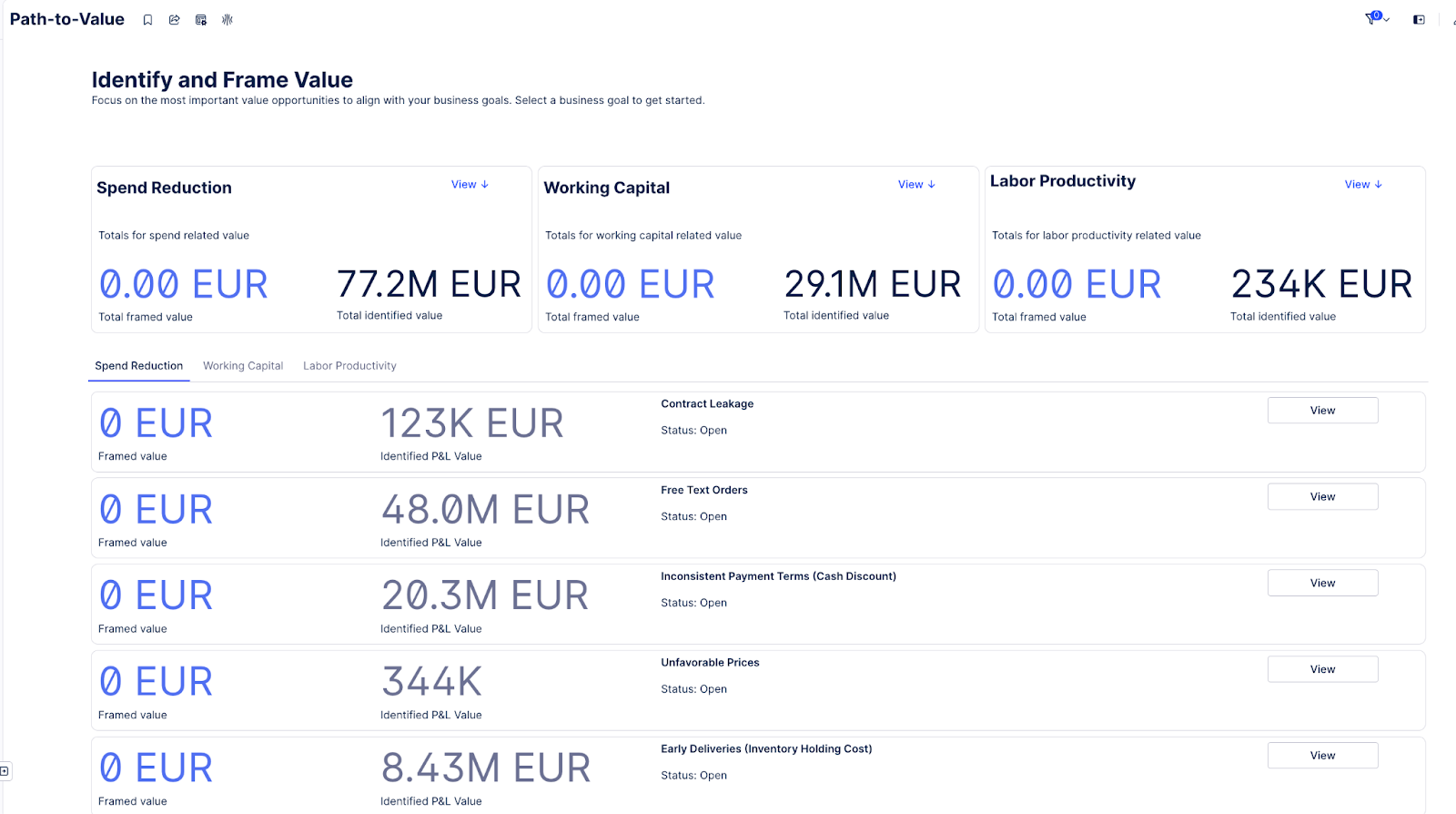
Click on the “View” button on the use case you selected.
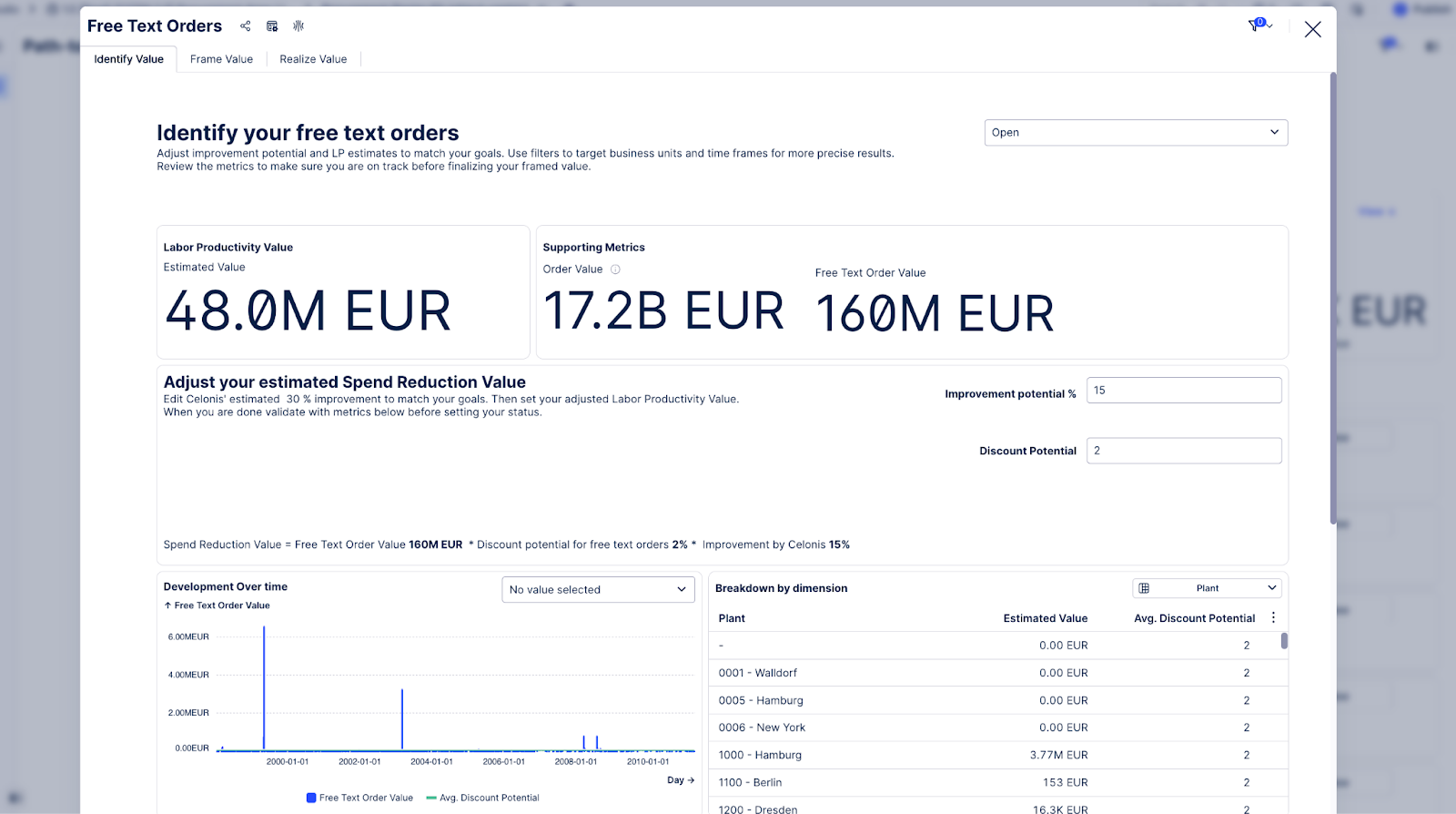
In the “Identify value” tab, use the provided data, like charts, tables, and value calculation formulas to determine whether this is a valid use case you want to pursue.
Change to the “Frame value” tab, adjust the available inputs like the target rate, improvement potential, or target delay depending on the use case and your company's targets for the year.
Use the available charts and tables to find the correct scope for the value project, like which plants, materials, or sales organizations to focus on. This scope should have the most value accumulated or be the lowest-hanging fruit to tackle.
Once you have finalized the scope, validated the formula, and adjusted the inputs, enter the value displayed in the KPI at the top into the “Framed value” input. This will save the value and be shown in the Path-to-Value view.
Change the status value in the top right dropdown to “Value framed” to indicate that the value for this use case has been framed, and you can proceed with the next use case.
You can then see the recommended solutions in the 'Realize value' tab for each use case.
See Celonis Value Methodology for how to progress from here to realize value.