Object-centric data model (OCDM)
An object-centric data model (OCDM) centralizes your company's interconnected business processes into a single, unified relational structure. By capturing shifting interactions across multiple distinct business objects (such as orders, deliveries, invoices, and payments), the OCDM removes traditional linear case boundaries to deliver an accurate, real-world view of your end-to-end operational workflows.
In complex supply chain or procurement environments, single operational events often interact with multiple business object lifecycles simultaneously, such as a single delivery note liquidating components across three separate purchase orders. Implementing an OCDM allows process elements to reflect these many-to-many relationships naturally, helping you identify cross-process bottlenecks without duplicating underlying transaction data.
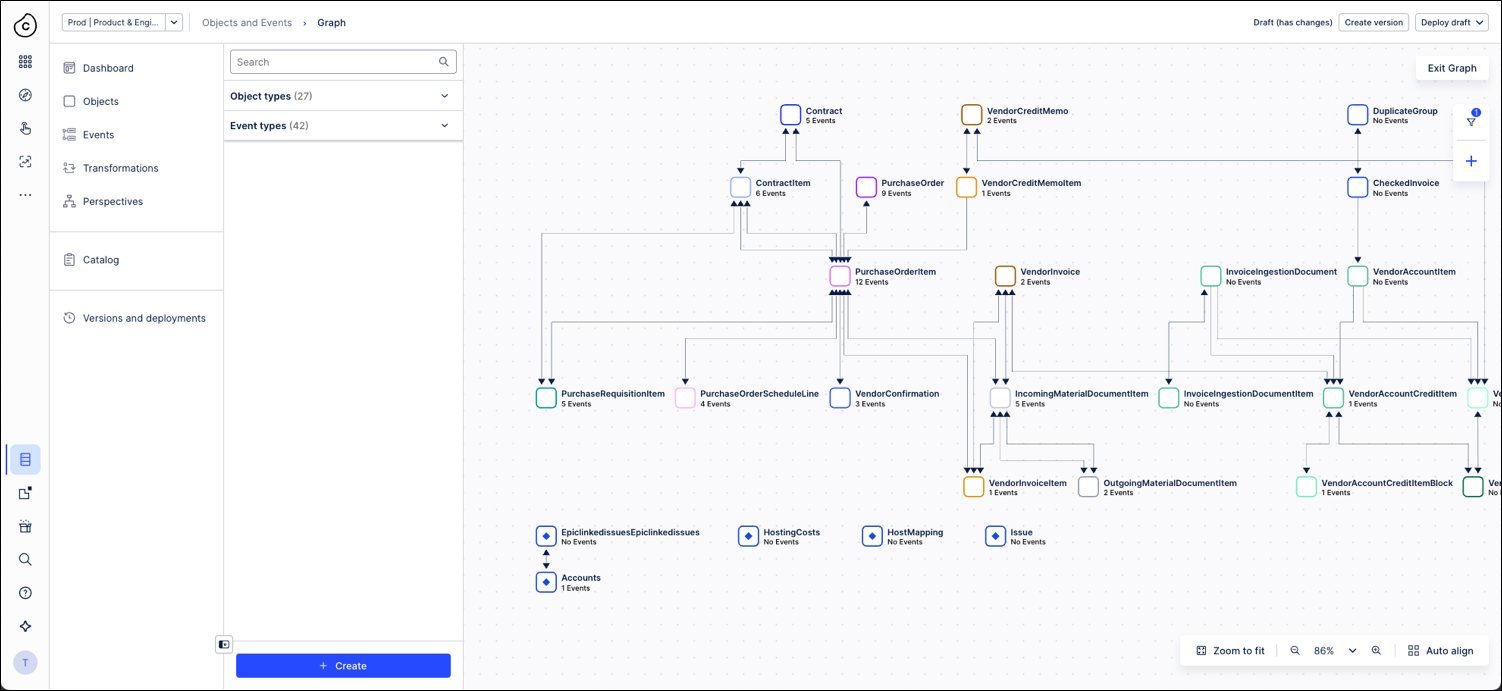
The Objects and Events dashboard provides two modes to view your OCDM:
The graph view is a visual representation of your object-centric data model. It shows object types as nodes and relationships as lines, to map connections across your objects and events.
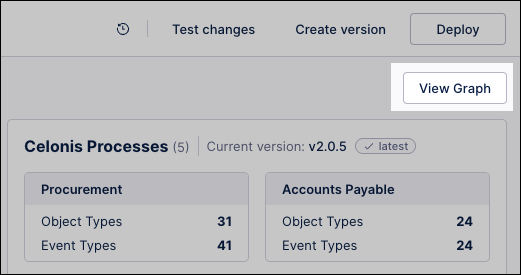
To access the graph view from the dashboard, click View Graph:
 |
The graph view provides the following management tools:
Feature | Description |
|---|---|
Navigation tools | Maps object types as nodes and relationships as lines. Drag the gray background to pan, use the bottom controls to zoom, and drag objects to adjust positions. Click Auto align to restore the default layout. |
Search | Isolates target object or event types to view their structural attributes. |
Filters | Select Add a filter to isolate objects by namespace, tag, or type. Example: Filter by the Celonis namespace to isolate standard Order-to-Cash tables from custom tracking entries. |
Presets | Saves current filter parameters to allow instant switching between specific process views. Example: Save a view as High-Value Blocked Orders to instantly monitor supply chain bottlenecks without redefining filter logic. |
The object-centric data model can also be viewed as a list of objects and events, accessed by clicking either Objects or Events from the dashboard:
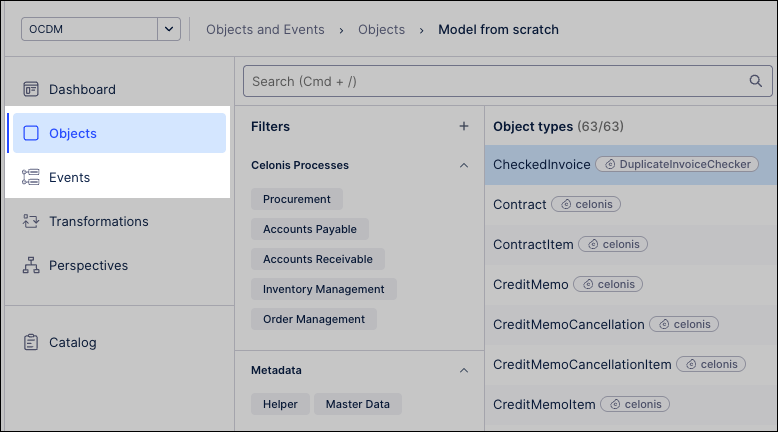
The list view provides the following management tools:
Feature | Description |
|---|---|
Search | Isolates specific object or event types to view their structural attributes and details. |
Filters | Narrows down the directory by existing object or event categories. Click + to define custom filter criteria. Example: Filter by the Inbound Delivery object type to isolate logistical fulfillment bottlenecks across variant vendor regions. |
Sort | Reorders the inventory of objects and events alphabetically, by creation date, or by modification date to track recent schema changes. |
View in Graph | Maps the selected list item directly into the interactive, visual node network of the OCDM graph view. |
When considering if an object-centric data model makes sense for your use cases, consider the following:
Feature | Object-centric data model | Case-centric data model |
|---|---|---|
Core concept | Multiple business objects interact within a single process to form a relational network of connected object lifecycles. | One case ID represents the entire process instance, establishing a single, linear transactional flow. |
Data structure |
|
|
Handling complexity |
|
|
Data quality and accuracy | Object-centric data models provide the following data quality advantages:
| Case-centric data models introduce the following data quality issues:
|