Orchestration Engine
Celonis Orchestration Engine is a process orchestration capability in Celonis Platform designed to create, coordinate, and run end-to-end business processes. These business processes may originate from different sources, like systems, applications, AI agents, bots, and human users. Orchestration Engine allows you to coordinate data from all of these seemingly unconnected resources in an easy-to-manage and easy-to-control process workflow.
Popular use cases for Orchestration Engine
Orchestration Engine use cases can vary from business to business. To get you started, here are a few examples of how orchestration can be used in your organization:
Missing purchase order confirmation: Send a pre-populated Form to a supplier for confirmation and; feedback on delivery details for a PO, which the Orchestration Engine then writes back to the ERP
Advertising spend: Controlling marketing spend by automatically suspending or reactivating ad campaigns based on real-time inventory levels and fluctuating demand.
Next best option: Recommending alternative products from suppliers or drop-ship vendors with better on-time delivery (OTD) performance to prevent backorders and accelerate revenue
Risk management: Proactively managing fulfillment and credit risk by automatically putting orders from risky customers on hold or alerting teams to delayed procurement orders
How Orchestration Engine works
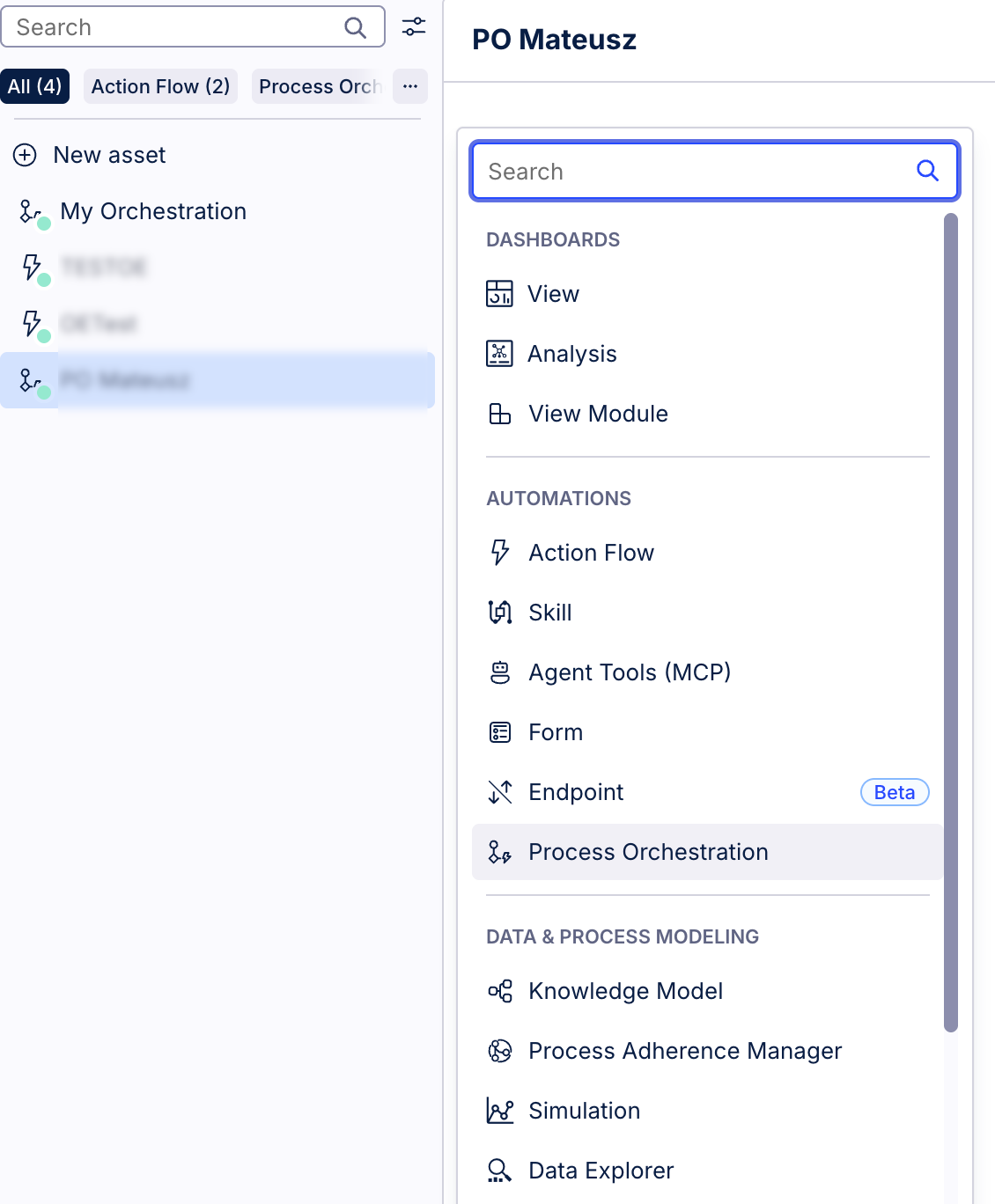
Orchestration Engine is the name of the process orchestration capability in Celonis Platform. Within the platform itself, Orchestration Engine has a corresponding asset called Process Orchestration. Process Orchestration is where you build and manage your process. This asset can be added to any of your Studio packages.
On a high level, each Process Orchestration consists of events that contain information about actions that are supposed to happen in your process, and process steps that order these actions in sequence. Information about the state of Process Orchestration is stored in Process Content, which functions as the memory of the orchestration, using a JSON object to store and pass vital data payload information throughout the entire workflow.
To incorporate manual decision-making, Forms enable essential human-in-the-loop interactions by capturing structured input, feedback, or approvals from internal and external users to dynamically guide the next automated steps
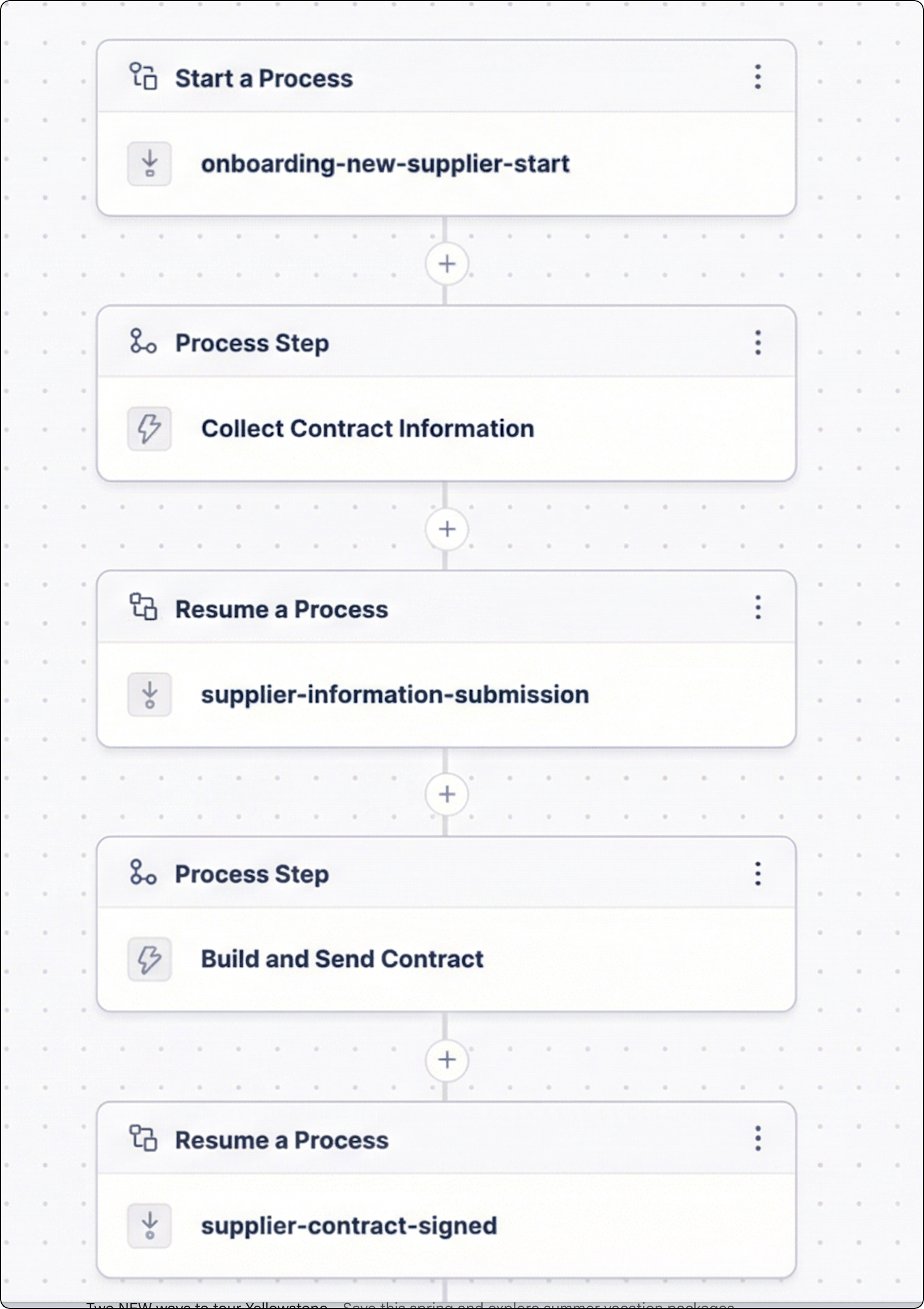
Events specify when something happens in your process; they act as signals for when a process should start or advance to the next stage; they’re triggered by specific activities or conditions, for example, missing purchase order confirmation, or a predefined schedule. They can come from Celonis or from outside.
Events carry the essential process context data needed to execute subsequent steps. When a given action for a step is finished, for instance, an Action Flow is executed, information from that execution is fed back to the Process Orchestration to push the process forward.
There are two main types of events:
Triggered Events – start or progress an orchestration when something happens. For example, a user clicks a button, email is sent, or vendor feedback is received.
Timer Events – Start or progress an orchestration based on time. For example, run daily, or resume process after three days with no response.
Steps are fundamental building blocks of Process Orchestration. They define what work happens within an orchestrated process. Process steps represent individual actions or tasks that happen in a user-defined sequence to achieve a desired goal. Process steps are containers for events and actions.
Depending on their role and position in Process Orchestration, we distinguish the following types of process steps:
Start process step - the starting point of each orchestration process. It’s a trigger event that serves as an entry point to process orchestration.
Resume process step - it’s a step used to resume a paused process.
Process step - an action that takes place in an orchestration.
The process context is a JSON object that holds all external information and data flowing into or out of a specific Process Orchestration execution instance.
In practice, the process context continuously captures, stores, and passes the necessary data payloads between various events, forms, and automated steps, ensuring your end-to-end business processes execute smoothly based on real-time information. For more information, see Adding process context to Process Orchestration.
Orchestration Engine Forms are interactive UI elements designed to collect structured input from individuals, bridging the gap between automated tasks and manual intervention. They are typically embedded within a Process Step of an orchestration, and their submission triggers the process to advance to its next stage. For more information on how to start creating your Forms, see Forms in Orchestration Engine.