Resume error handler
The Resume error handler replaces the module output with a substitute output when an error happens. You define the substitute output in the Resume error handler settings. The rest of the Action Flow uses the substitute output. Celonis platform processes the rest of the bundles in the Action Flow flow normally.
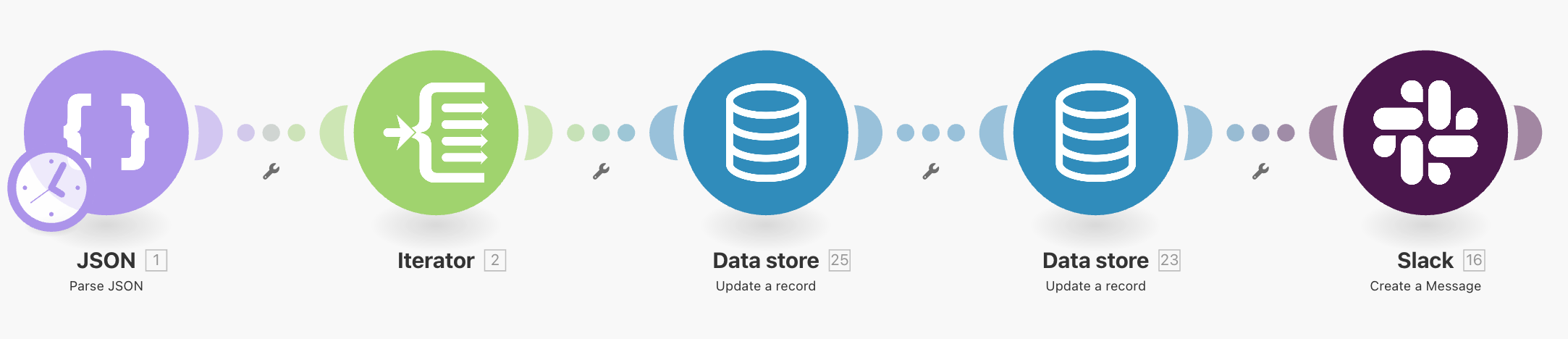
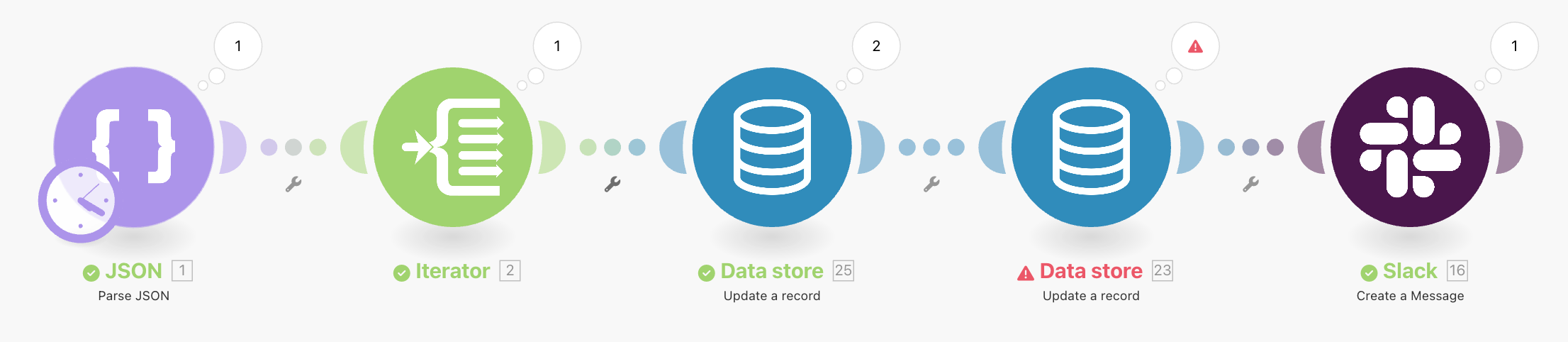
For example: This demo Action Flow contains five modules. The Action Flow is useful for tests and showing the effect of an error handler:
JSON - Parse JSON provides test data in the form of an array of three record IDs.
Iterator splits the array into individual bundles.
Data store - Update a record: Updates the data in the data store.
Data store - Update a record: This module updates the data again. This time the module works differently. In the module mapping, there is a mapping that intentionally creates an error:
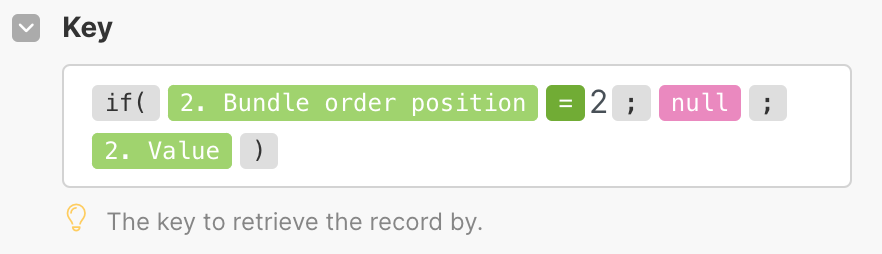
The mapping inserts a
nullvalue into the required Key field, which always creates theBundleValidationError.Slack - Send a message: Sends a message to a private testing channel.
This is how the example Action Flow looks:
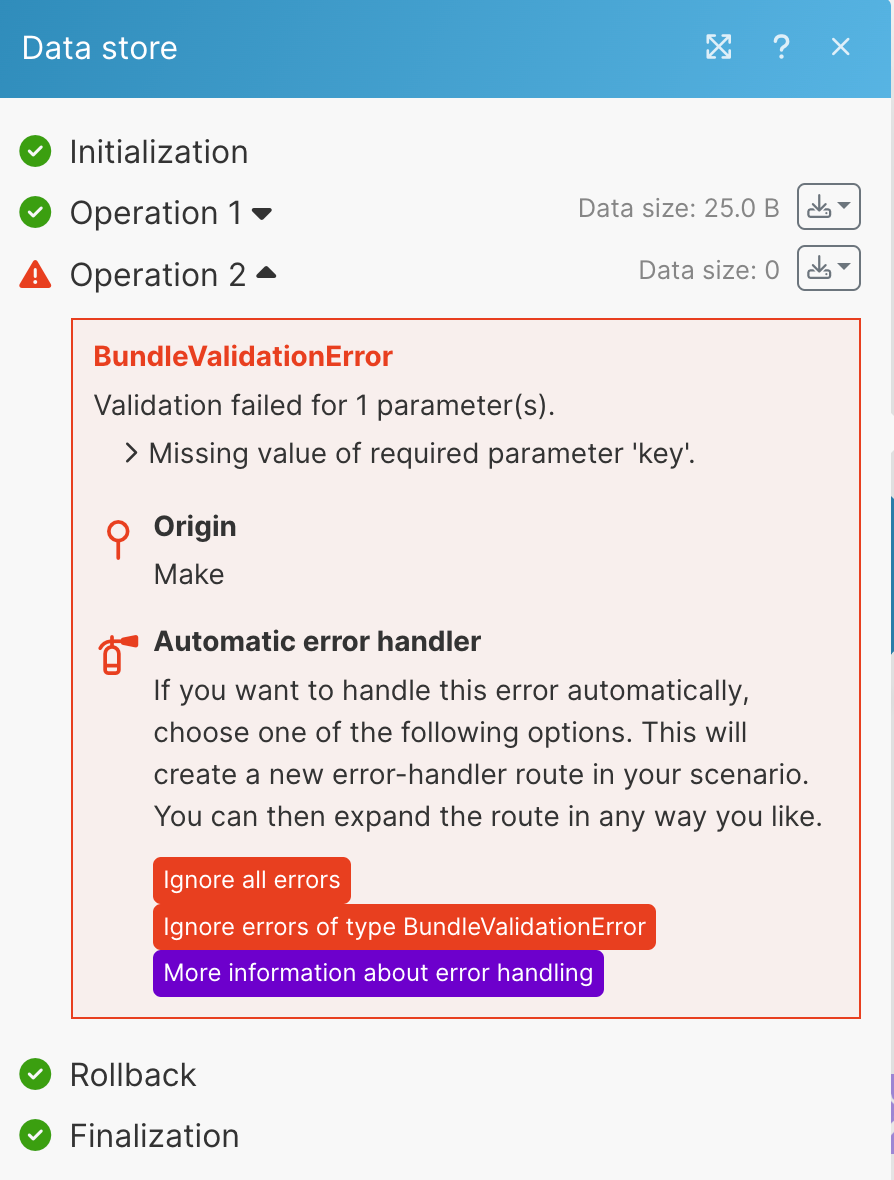
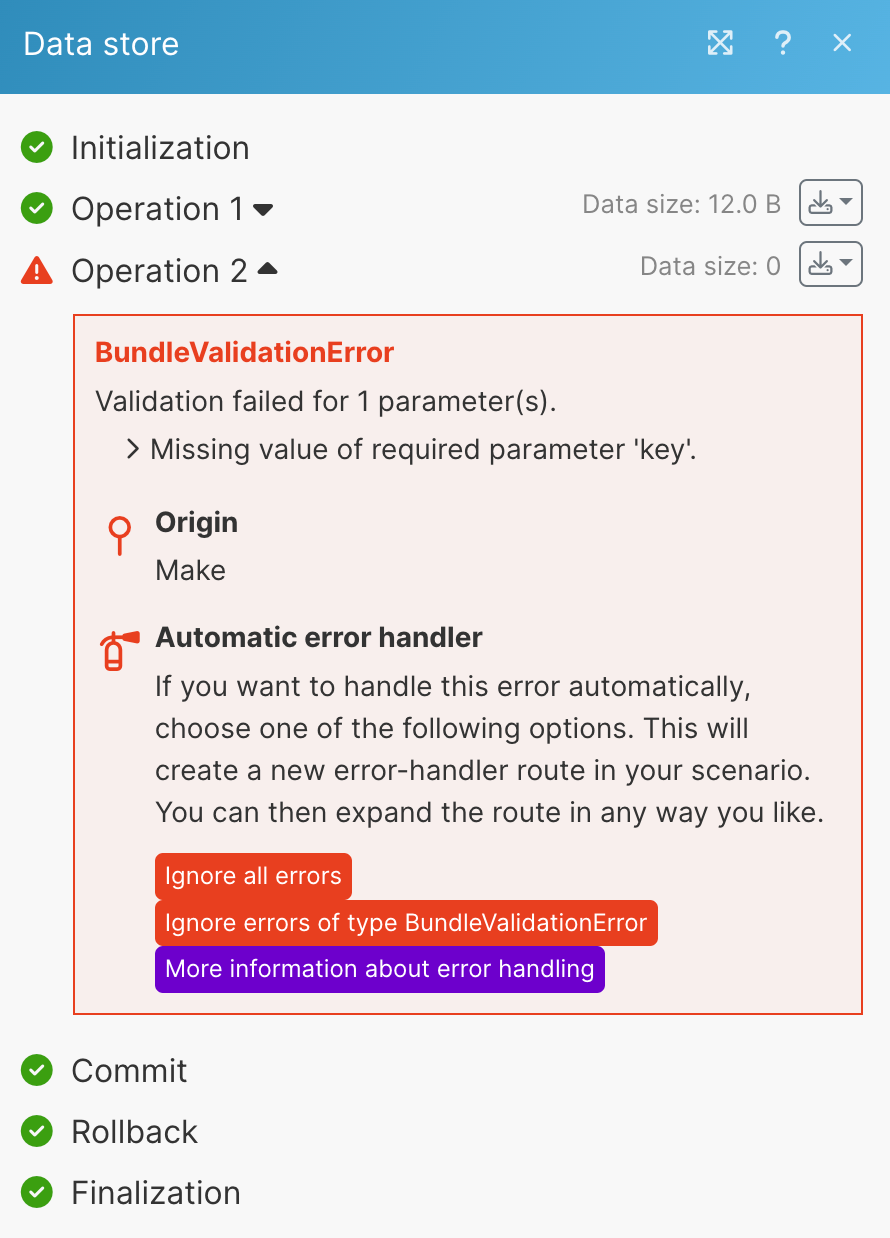
When we would run the example Action Flow, we would get the BundleValidationError:
With the Resume error handler, you can substitute the bundle that causes an error with your custom data. The custom data continue the rest of the Action Flow flow instead of the erroring bundle.
In the Resume error handler settings, you get the same fields as in the handled module settings. In the error handler fields, you can provide custom data that Celonis platform uses instead of the bundle that caused the error.
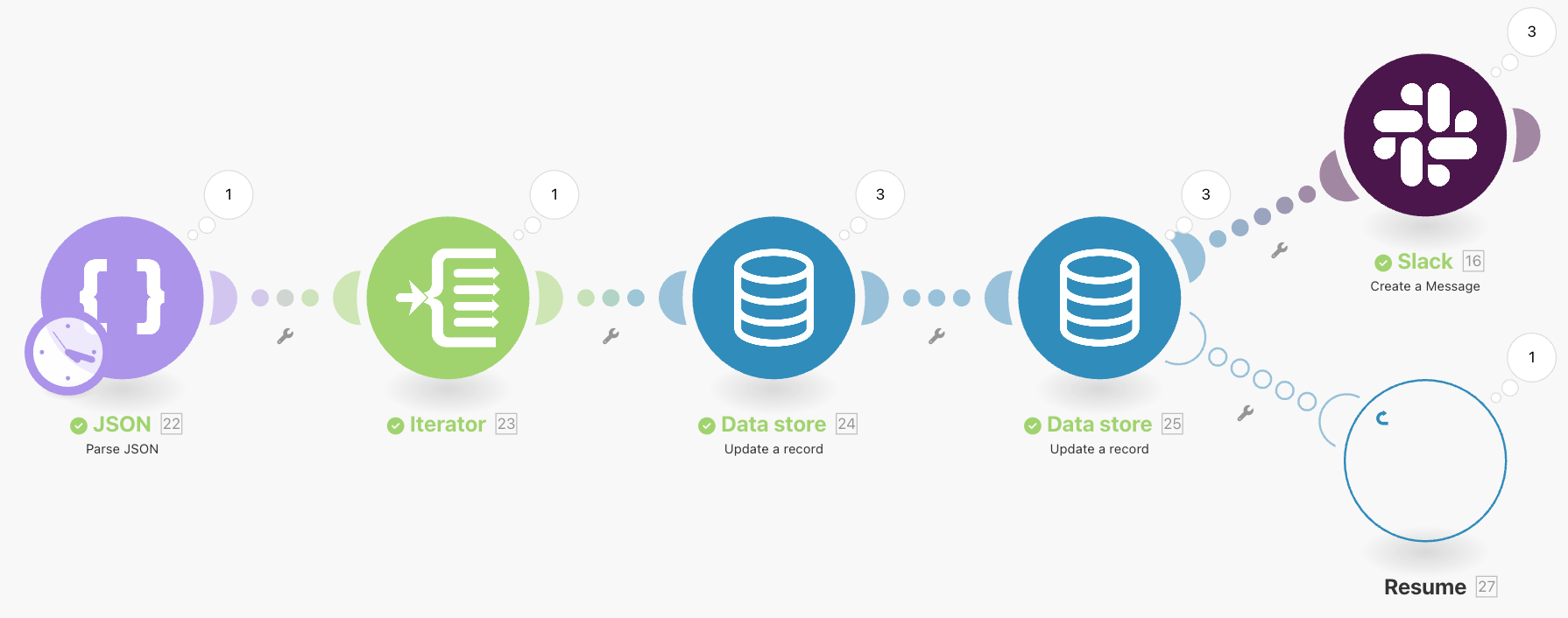
For example, the following Action Flow outputs an error in the Update a record module:
To change the erroring bundle for custom data and use them in the rest of the Action Flow, follow the steps:
Right-click the module that is causing the error. In the menu, select Add error handler.
Select the Resume error handler.
Fill in the Resume handler settings with your custom mapping.
Save your Action Flow.
You added the Resume error handler to your Action Flow. When an error occurs in the Data store module, the Resume error handler replaces the bundle with your custom mapping.