Getting started with object-centric process mining
Object-centric process mining (OCPM) analyzes how multiple business objects interact over time by linking events directly to all affected entities rather than forcing data into a single case string. This approach provides a complete view of cross-functional processes, allowing you to isolate multi-delivery bottlenecks or automated blockages without the skewed cycle times common to traditional case-centric models.
Object-centric process mining helps you:
Understand complex, interconnected processes.
Analyze processes from multiple perspectives (order, invoice, supplier, customer).
Avoid data duplication and misleading results caused by case definitions.
Discover bottlenecks, rework, and dependencies that case-centric models miss.
If your process involves many-to-many relationships (for example, one order with multiple invoices or deliveries), object-centric mining is the right approach.
Case-centric process mining follows a single “thread” of events, whereas object-centric process mining connects events to all relevant objects, giving a realistic view of how processes actually work.
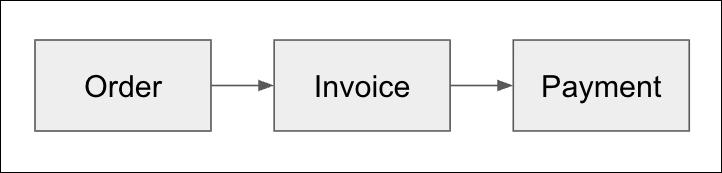
Case-centric: Case-centric process mining examines a process from the viewpoint of a single case, such as one order or one invoice. Each event belongs to a single case string. While optimized for linear workflows, this method omits operational complexities when multiple objects interact.
For example, one case is one linear chain of events:
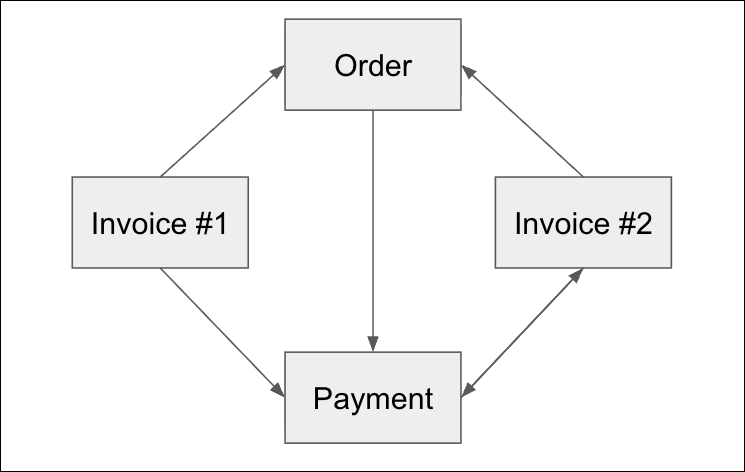
Object-centric: Object-centric process mining evaluates workflows across multiple connected business objects simultaneously. Events link to several entities at once, accurately depicting real-world process interactions.
Example: A single purchase order linked to multiple distinct invoices. This structure natively captures partial invoicing, split deliveries, and subsequent price corrections without duplicating event logs or distorting process KPIs.
Understand these key concepts before initializing your data model:
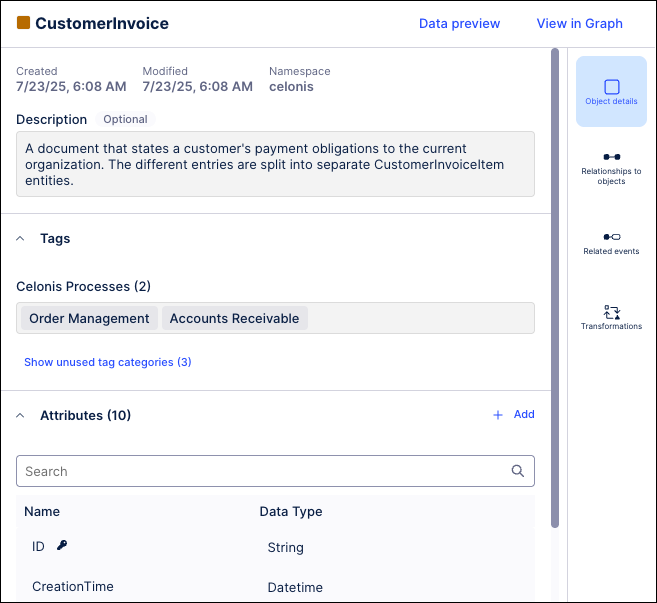
Objects: The core business entities under analysis (for example, Orders, Invoices, Customers, or Suppliers) that serve as anchors for your process data.
Events: State changes or actions that occur to one or more objects (for example, `Invoice Created` or `Order Shipped`). Each event contains a single timestamp and links to multiple objects simultaneously.
Relationships: The systemic connections mapping how objects relate to one another (for example, defining which specific deliveries fulfill a corresponding purchase order).
Example of an object in the Celonis Platform:
Example of an event in the Celonis Platform:
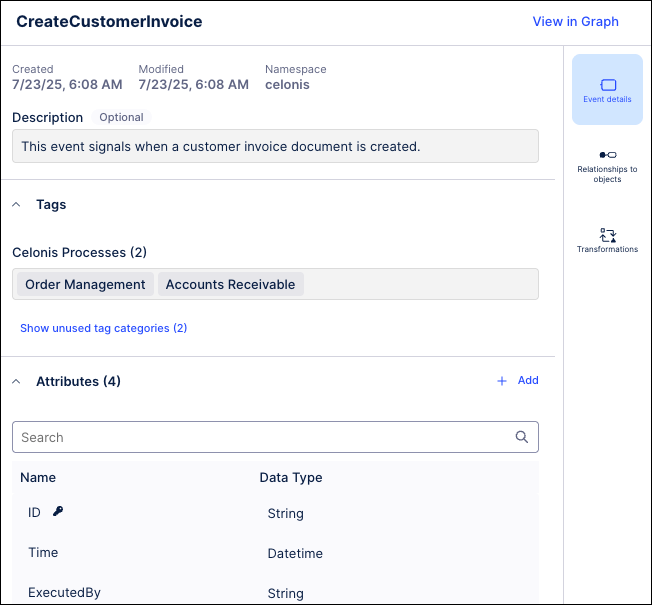
To learn more about objects, events, and relationships see: Objects, events, and relationships
Object-centric data model (OCDM): A structure that combines objects, events, and relationships into a single framework. Celonis provides a prebuilt model with commonly used object and event types to help you get started quickly, ensuring consistency and enabling reusable analytics across processes.
To learn more about the object-centric data model, see: Object-centric data model (OCDM).
Perspectives: Filtered views that determine which objects, events, and relationships are visible for a specific analytical use case. For example, applying an invoice-centric perspective isolates payment cycles and downstream exceptions without altering the underlying global data model.
To learn more about perspectives, see: Perspectives and event logs.
An example of a duplicate invoice checker in the Celonis Platform:
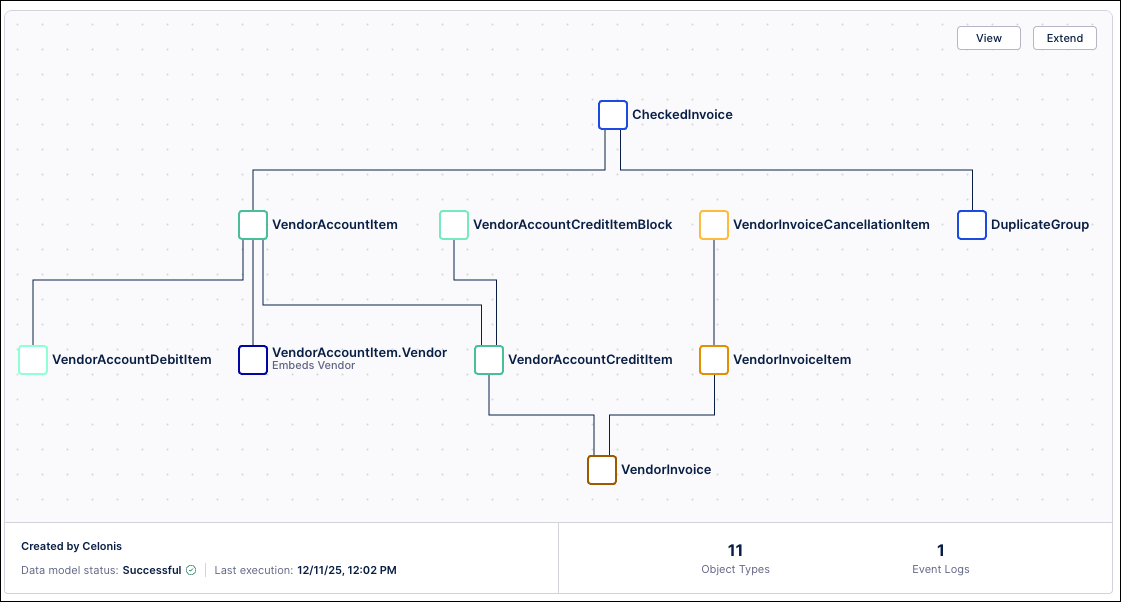
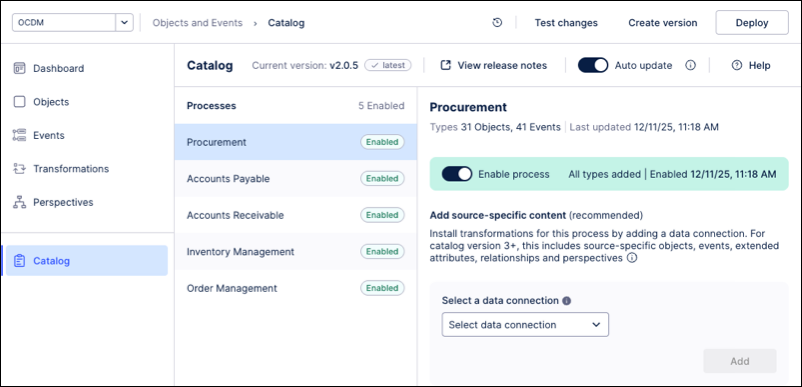
To accelerate deployment, use the Celonis-provided core processes instead of manually configuring a custom Object-Centric Data Model (OCDM). These core processes provide the required object types, event types, relationships, and perspectives for your chosen business process. Use these assets to view your Process Intelligence Graph and build custom content in Studio.
Example: Select and enable a standardized asset package within your data pool interface. For instance, enabling the Procurement core process package automatically maps standard purchase requisition and purchase order events directly into your Process Intelligence Graph, removing the need for manual relationship tracking.
Enable any of the following core processes for your team:
Accounts payable
Accounts receivable
Inventory management
Order management
Procurement
To learn more about using these core processes, see: Quickstart: Extract and transform your data into objects and events.