
Add Target

Transformation Center service is being deprecated from February 6, 2026

Our Transformation Center is being deprecated, with the features evolving into our enhanced Transformation Hub service.

To learn more about this deprecation, see: REMOVED TRANSFORMATION CENTER Deprecating Transformation Center service (February through March).

And to learn more about Transformation Hub, see: Transformation Hub.

  • In Transformation Center, you are able to set milestones for KPIs.

  • These targets indicate the value you would like your KPI to reach at a certain point in time.

  • By setting the targets, you can effectively monitor the progress of your initiative's KPIs and objectives.
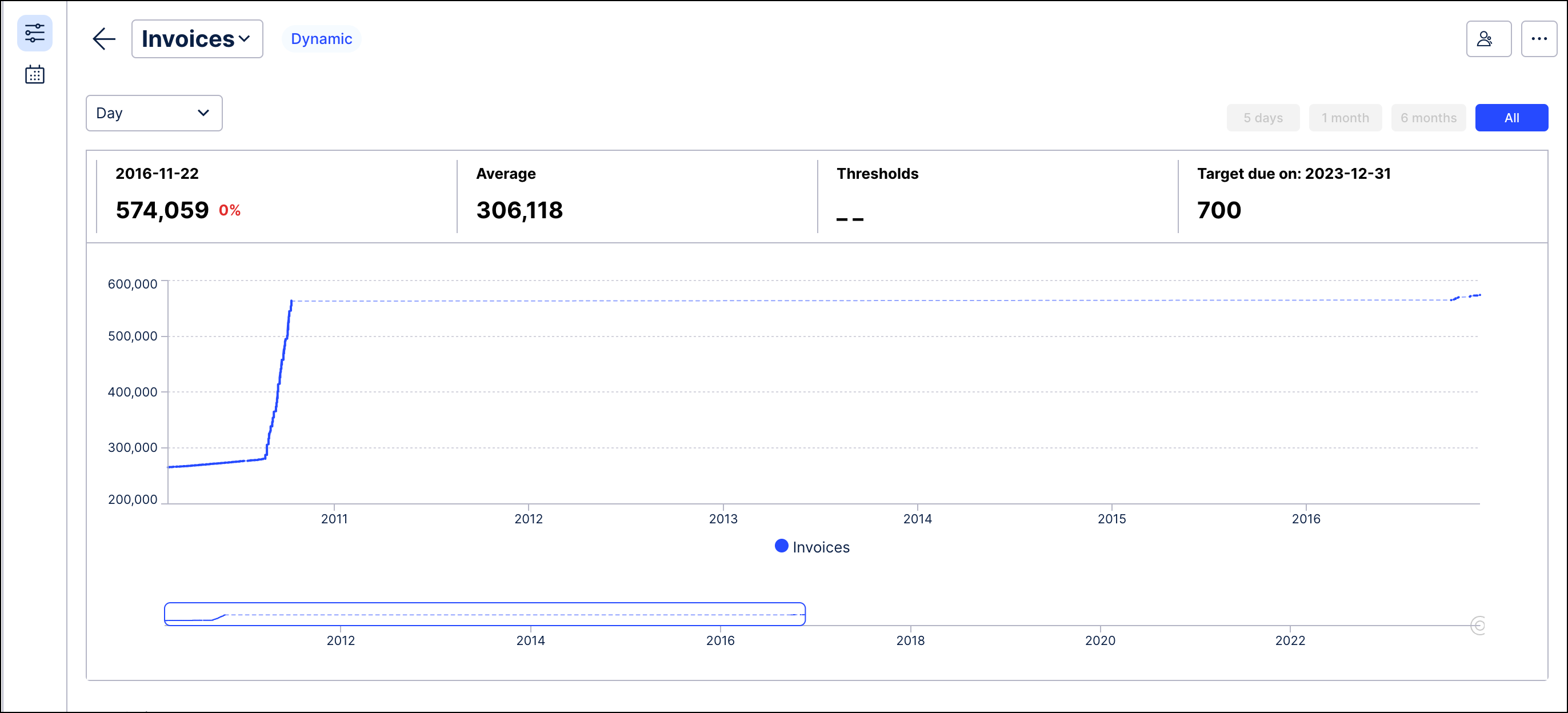
Screenshot showing an example of a KPI with a target set.

Information Tile: You see the value you would like to reach and the due date.

Chart: You can also see your target in the graph once you hover over the information tile and compare the value with your historical data displayed in the graph.
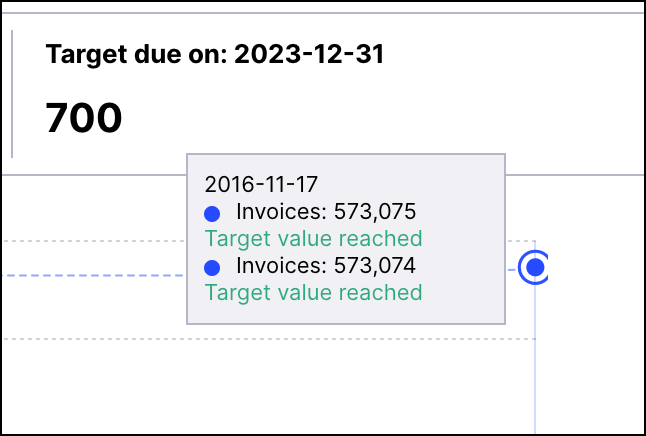
Screenshot showing a tool tip for a data point in the graph and an example of the type of data available.

Setting a Target

Image showing the fields available on the Set Target screen and how the values in those fields are displayed in the Target details.

Configurations: Enter the advanced configurations to set the value and target date for your target as seen above.
