Gamify Any App
Are you launching a new operational app and facing the critical challenge of driving user adoption right out of the gate? Or perhaps you already have an application that provides users with a clear set of tasks to complete, but you need a stronger incentive for follow-through?
The Gamification App is designed to solve this challenge through a powerful interoperability feature, allowing you to introduce gamification into any app in your space. This is designed for maximum efficiency:
Automatic Rewards: Users are rewarded automatically for completing specific, valuable actions within your existing applications.
Self-Service Data: The setup effectively "self-serves" the Gamification App with all the necessary data, eliminating manual tracking and reviewing.
This powerful setup allows you to auto-reward users for completing the following high-value actions:
Augmented Attributes (e.g., changing a status, marking a record as complete)
Tasks (e.g., executing a recommended action, completing a step in a process)
Here are the key points for setting up Gamification for any app with Augmented Attribute tracking:
Use the "Aug Attribute Change Reward" action flow available in the new version of the App.
Set up a Webhook in the first module
Trigger the webhook via Postman or another tool with POST request and pass below JSON as raw data
{ "UserID":"abc", "AssignmentName":"abc", "Comment":"abc"}Create a connection with Celonis via App Key or User Key and setup the rest of the modules.
Make sure you connect to and select the Gamification KM for the rest of the action flow.
Now, create a new assignment as you would normally create using the Admin View. Note the name of the assignment.
Save your changes.
Go to your app's Knowledge Model.
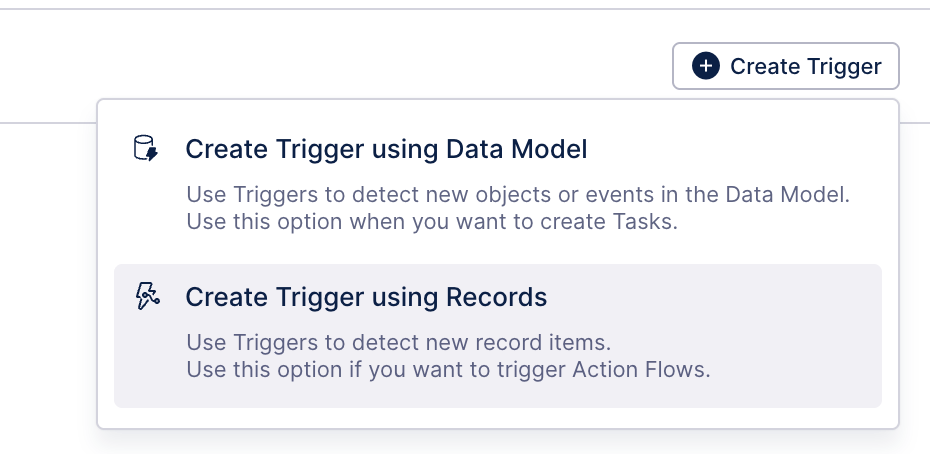
Create a record trigger in the Triggers section based on your business logic to reward points. For example, an order marked as “closed”.
Update the filter as per business logic you want to trigger and publish the Knowledge Model.
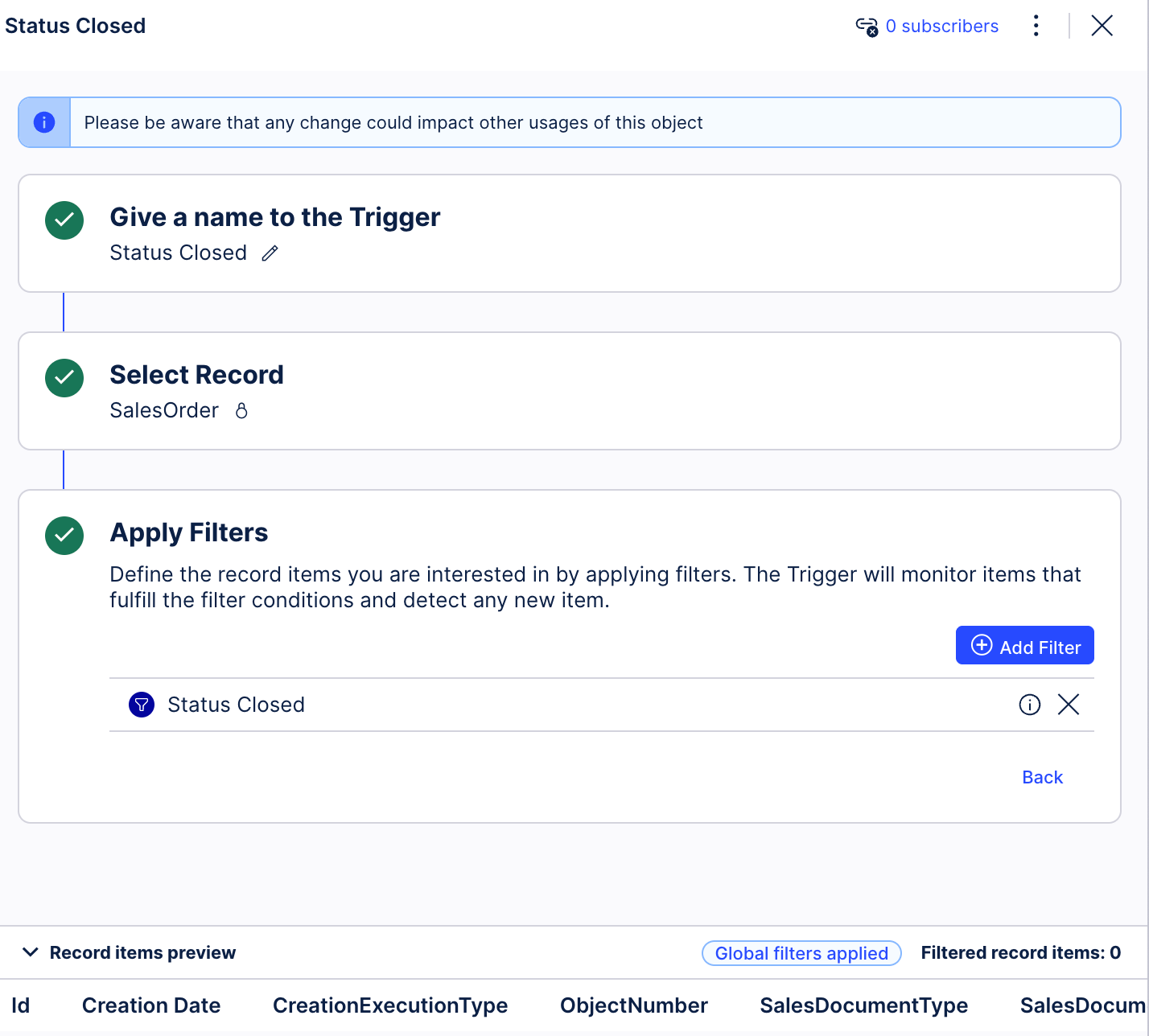
Once published, click on the 0 subscribers and then click on Add Subscriber > Action Flow.
The new action flow will be created automatically that starts with a Webhook module that has your record details.
Create the webhook and link it to the Knowledge Model trigger.
To get UserID of the user who changed the augmented attribute, add a Get Rows module and fetch the augmented attribute table columns Changed Date, Changed By.
Add a custom filter on the Get Rows module to filter the object/primary key for the augmented attribute.
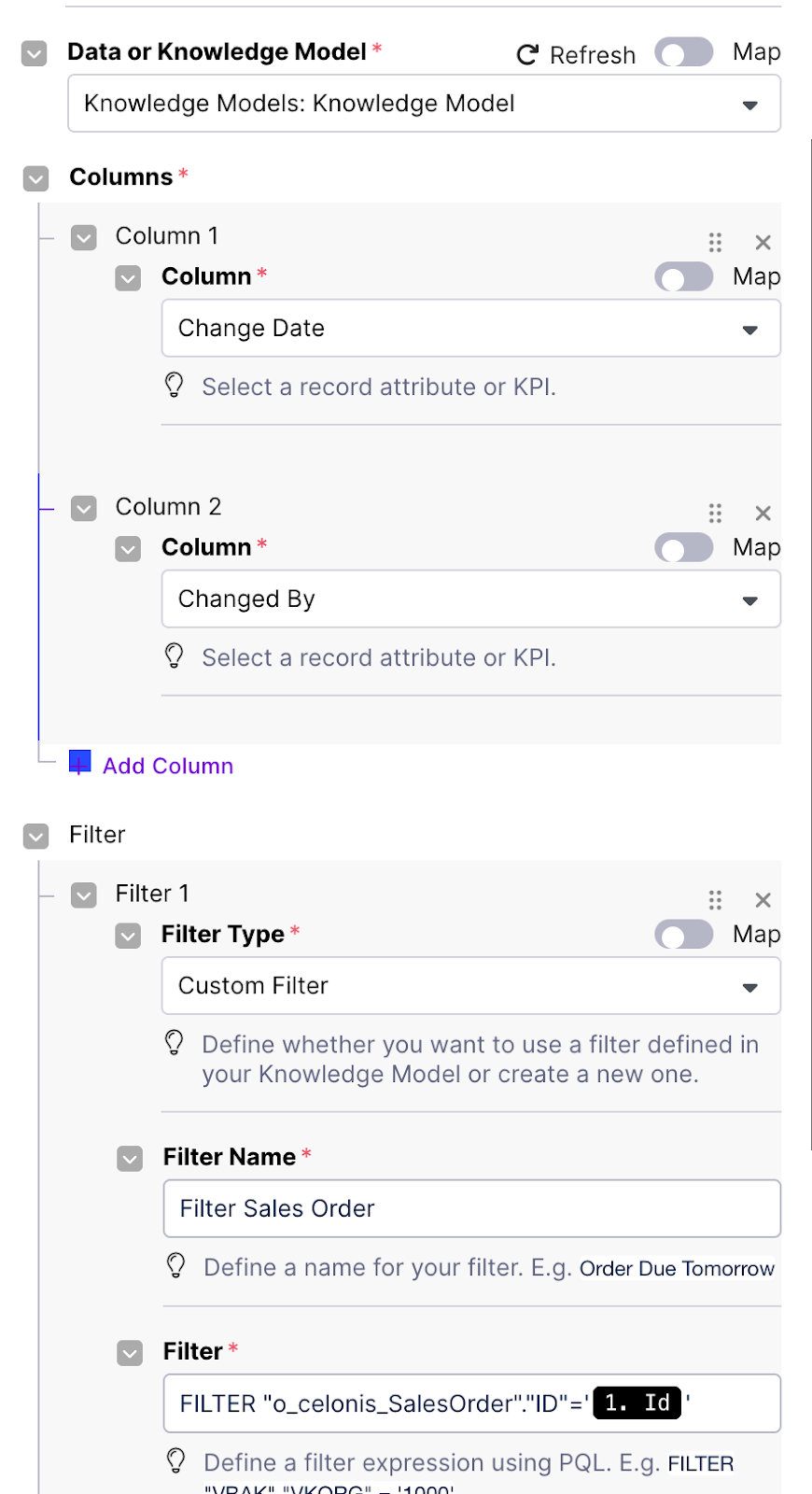
Before the final step, make sure you have these three bits of data ready:
UserID: Get this from the Augmented attribute change table.
AssignmentName: Use the same exact name you used in the Gamification app (just hardcode it).
Comment: Any text works here - maybe mention what the user is getting rewarded for!
Add an HTTP module to call the Webhook URL you created way back in the first step (the one in the Gamification app).
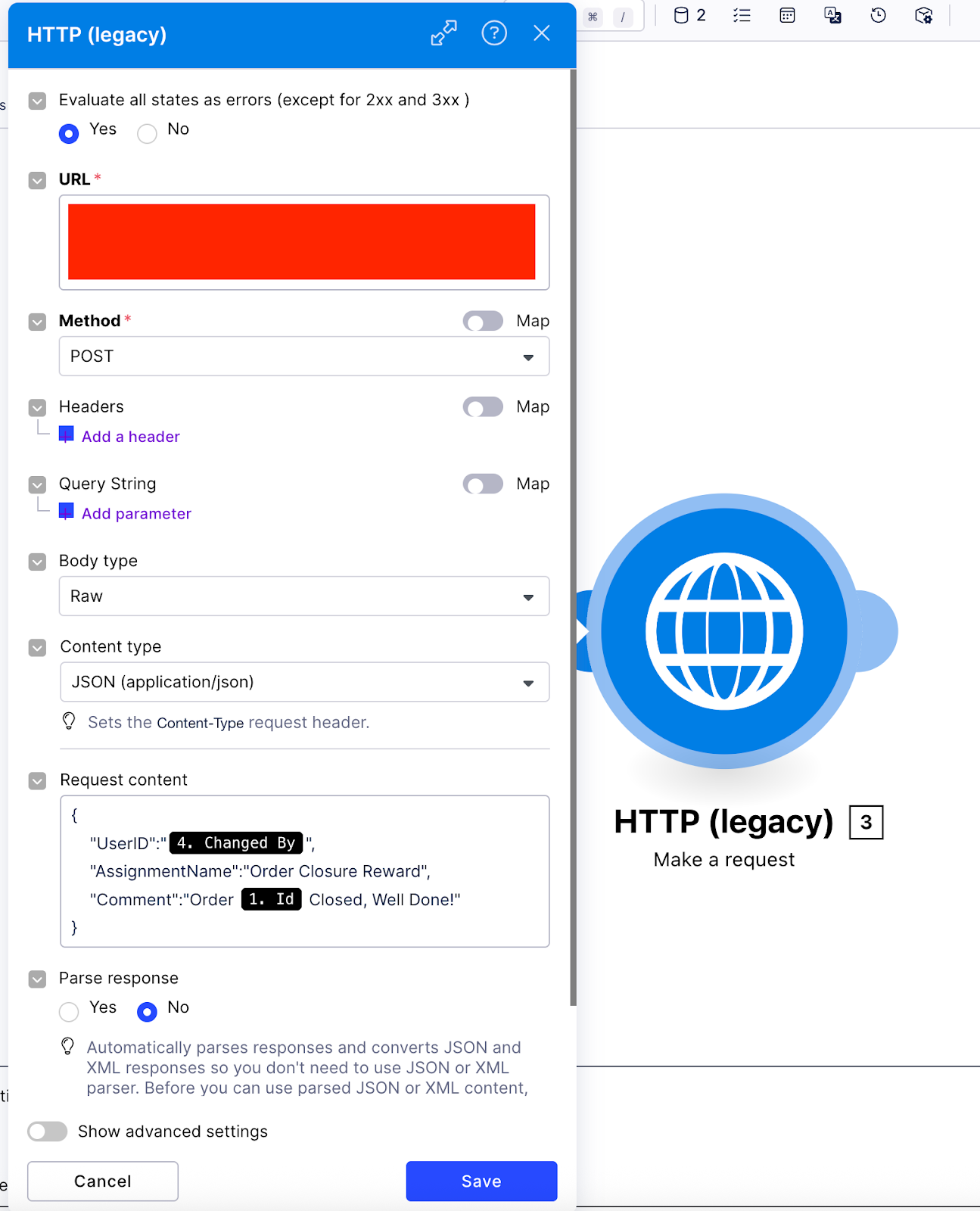
This is what the user will see after being rewarded:
 |