Orchestration Engine landing page
Celonis Orchestration Engine is a process orchestration capability in Celonis Platform designed to create, coordinate, and run end-to-end business processes. These business processes may originate from different sources, like systems, applications, AI agents, bots, and human users. Orchestration Engine allows you to coordinate data from all of these seemingly unconnected resources in an easy-to-manage and easy-to-control process workflow.
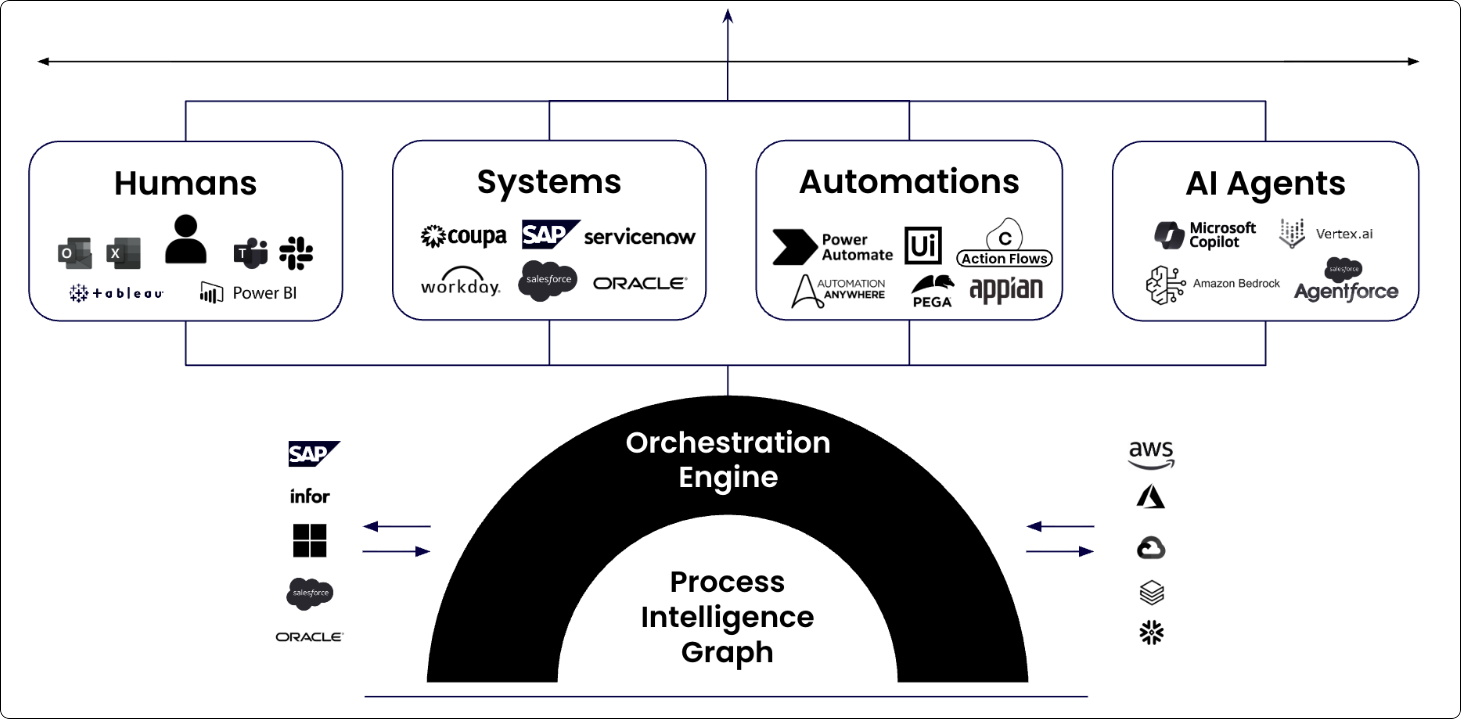
How Orchestration Engine works
Orchestration Engine is the name of the process orchestration capability in Celonis Platform. Within the platform itself, Orchestration Engine has a corresponding asset called Process Orchestration. Process Orchestration is where you build and manage your process. This asset can be added to any of your Studio packages.
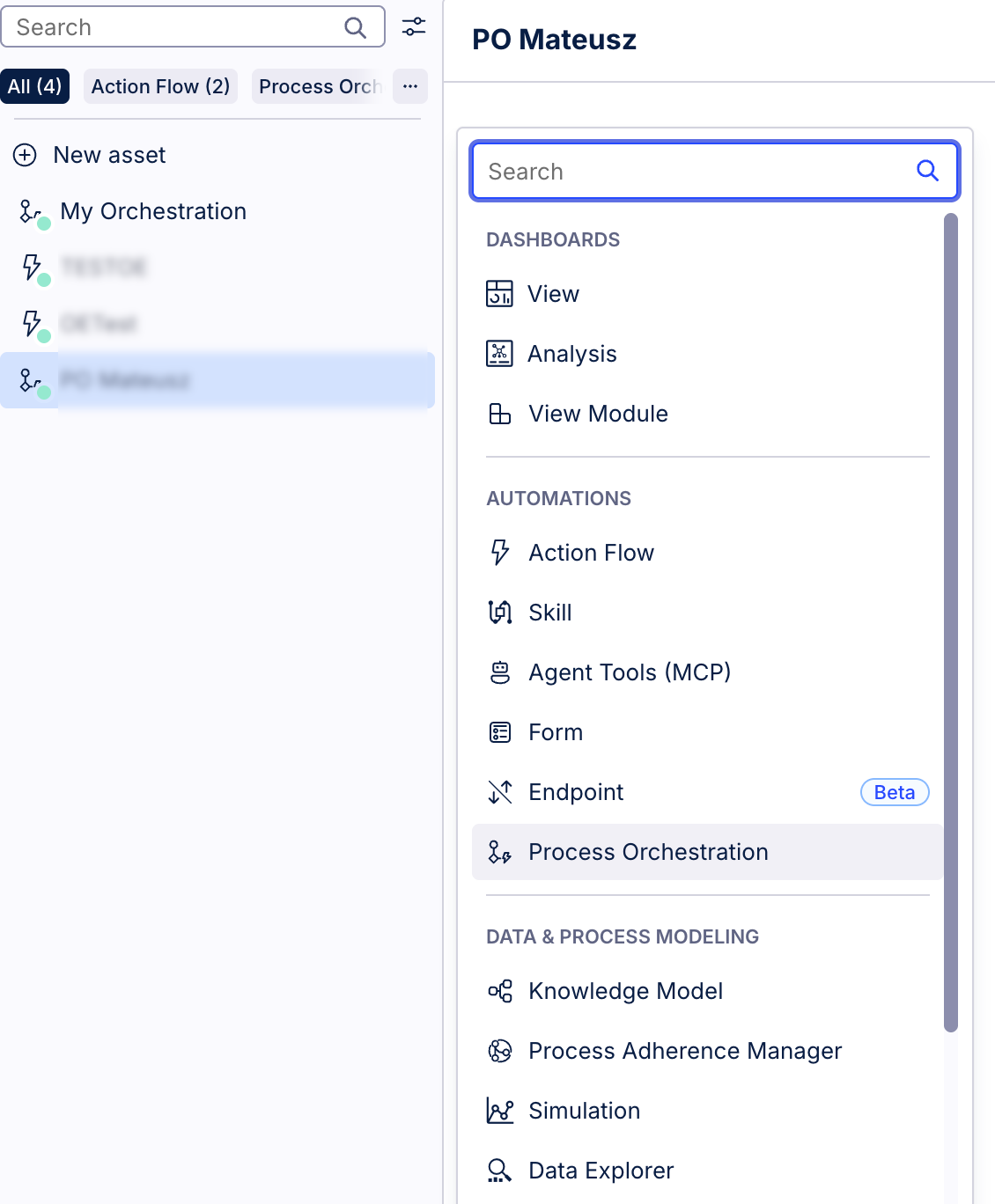
On a high level, each Process Orchestration consists of events, actions, and process steps.
Events - specify when something happens in your process; they act as signals for when a process should start or advance to the next stage; they’re triggered by specific activities or conditions, for example, missing purchase order confirmation, or a predefined schedule. They can come from Celonis or from outside.
Actions - doers in the orchestration workflows. These are typically Action Flows, or Cloud functions that perform actions within Celonis Platform or external systems and applications.
Process steps - fundamental building blocks of Process Orchestration. They define what work happens within an orchestrated process. Process steps represent individual actions or tasks that happen in a user-defined sequence to achieve a desired goal. Process steps are containers for events and actions. Depending on their role and position in Process Orchestration, we distinguish the following types of process steps:
Start process step - the starting point of each orchestration process. It’s a trigger event that serves as an entry point to process orchestration.
Resume process step - it’s a step used to resume a paused process.
Process step - an action that takes place in an orchestration.
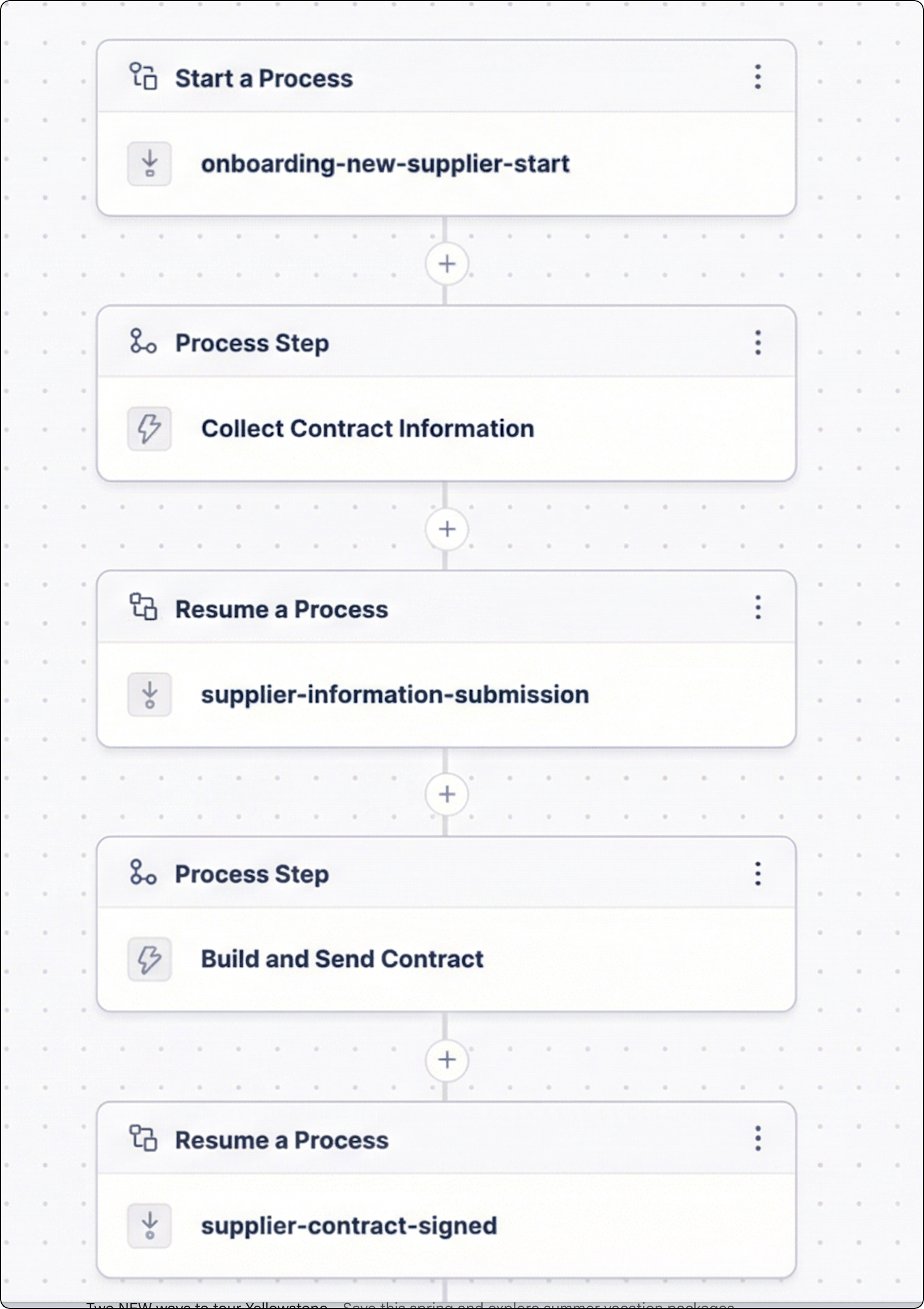
To learn how to create your first Process Orchestration, see Creating Process Orchestration overview.