4. display_table — Display Table
Mode: Both · Category: Data Visualization
Displays a table visualization in the frontend. You can pre-fill any subset of the fields below and the LLM populates the rest at runtime.
- id: display_table
- id: display_table
  column_ids:
    - INVOICE.INVOICE_NUMBER
    - INVOICE.INVOICE_VENDOR_NAME
- KPI_INVOICE_VALUE- id: display_table
column_ids:
- INVOICE.INVOICE_NUMBER
- INVOICE.INVOICE_VENDOR_NAME
- KPI_INVOICE_VALUE
order_by: KPI_INVOICE_VALUE
ascending: false- id: display_table
column_ids:
- INVOICE.INVOICE_NUMBER
- INVOICE.INVOICE_VENDOR_NAME
- KPI_INVOICE_VALUE
order_by: KPI_INVOICE_VALUE
ascending: false
limit: 20Any field you set is fixed. Any field you omit is decided by the LLM.
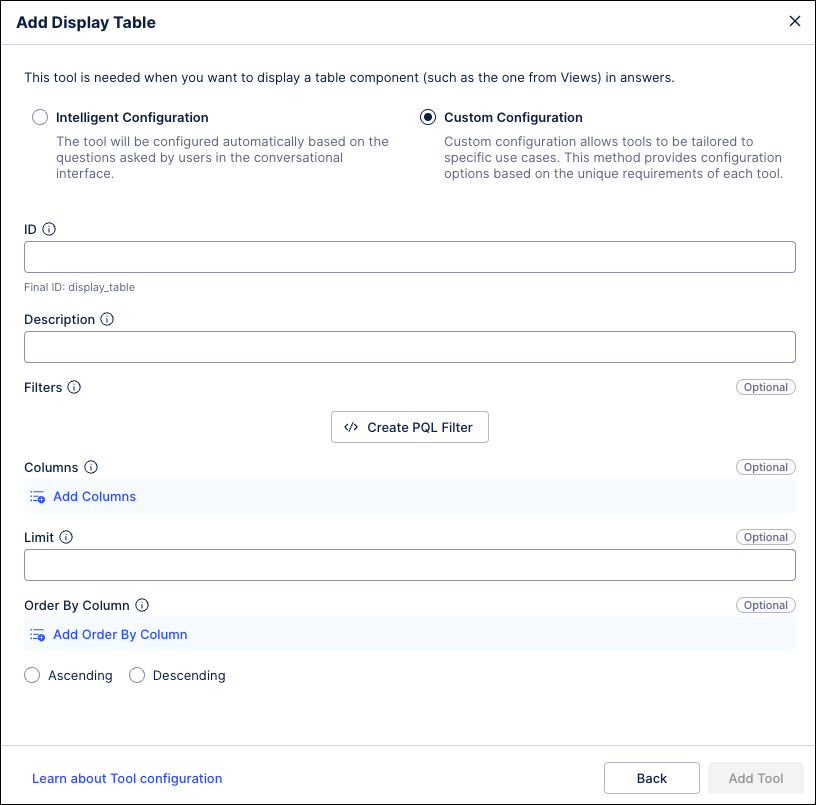 |
Field | Type | Description |
|---|---|---|
| list[string] | Column IDs (KPIs or record attributes) to display. |
| int | Max number of rows to display. |
| string | Column ID to sort by (must be one of the |
| bool | Sort direction. |