Update Tasks (Action Flow)
The Update Task Action Flow module allows you to update the Status and the Assignee of existing Tasks.
This module can be used only with record-based Tasks.
If you want to use the OAuth connection method for your Action Flow, your OAuth app must have the following scopes assigned to it:
knowledge-models:read
tasks:update
In Studio, go to your package and click New asset > Action Flow.
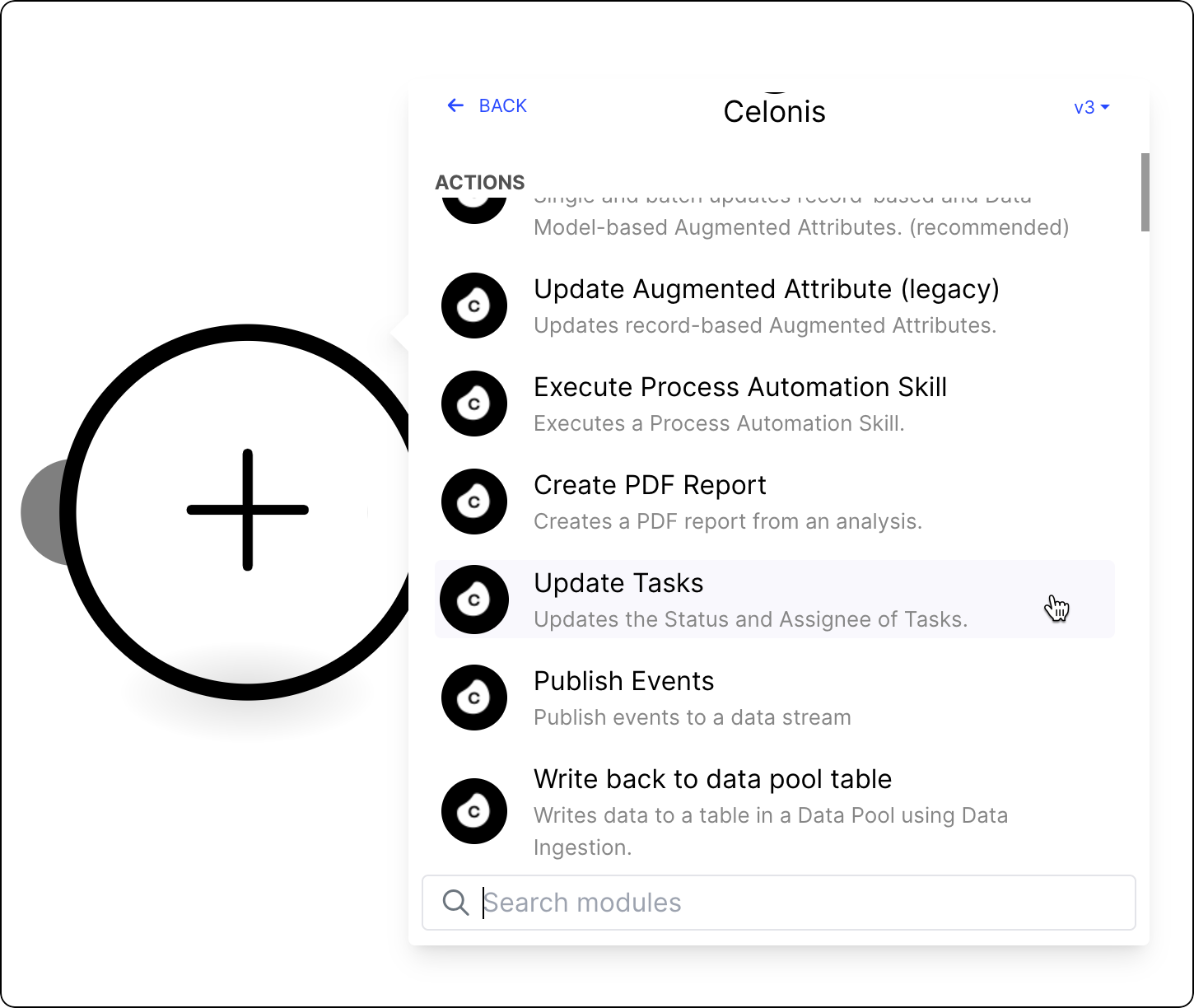
Click Add module and from the list select Celonis > Update Tasks.
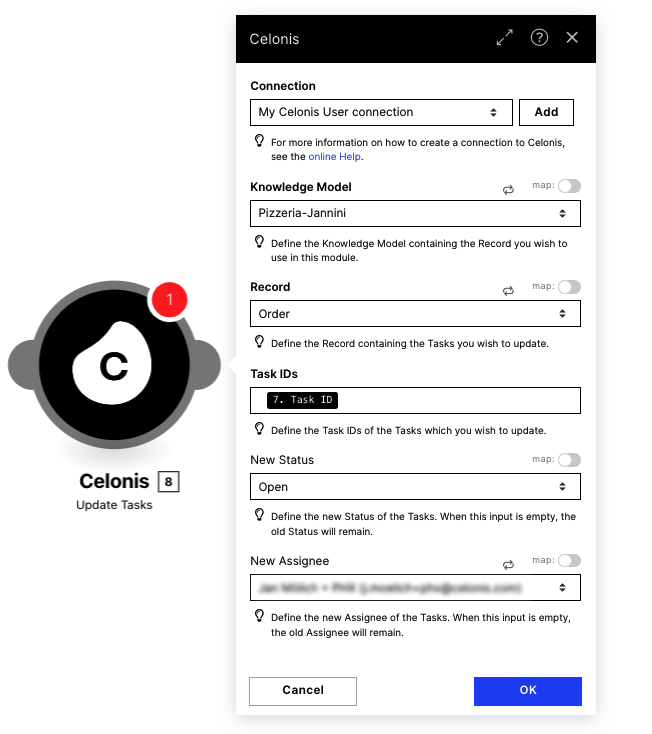
Select the Knowledge Model of the record for which you would like to update Tasks.
Select the Record containing the Tasks you wish to update with this Action.
Specify which Tasks should be updated.
Normally, you use the outputs of previous actions, for example, the Get Rows or the Get Tasks action which both return Task IDs.
Select the Status to which the Task(s) should be updated. Leave this empty to keep the current Task status.
Select the Assignee to whom the Task(s) should be sent. Leave this empty to keep the current task status.
Save your changes and deploy the Action Flow for your Action Flow to be operational.